Gems, Deep Research and Canvas: What Each One Is Actually For
Key Takeaways
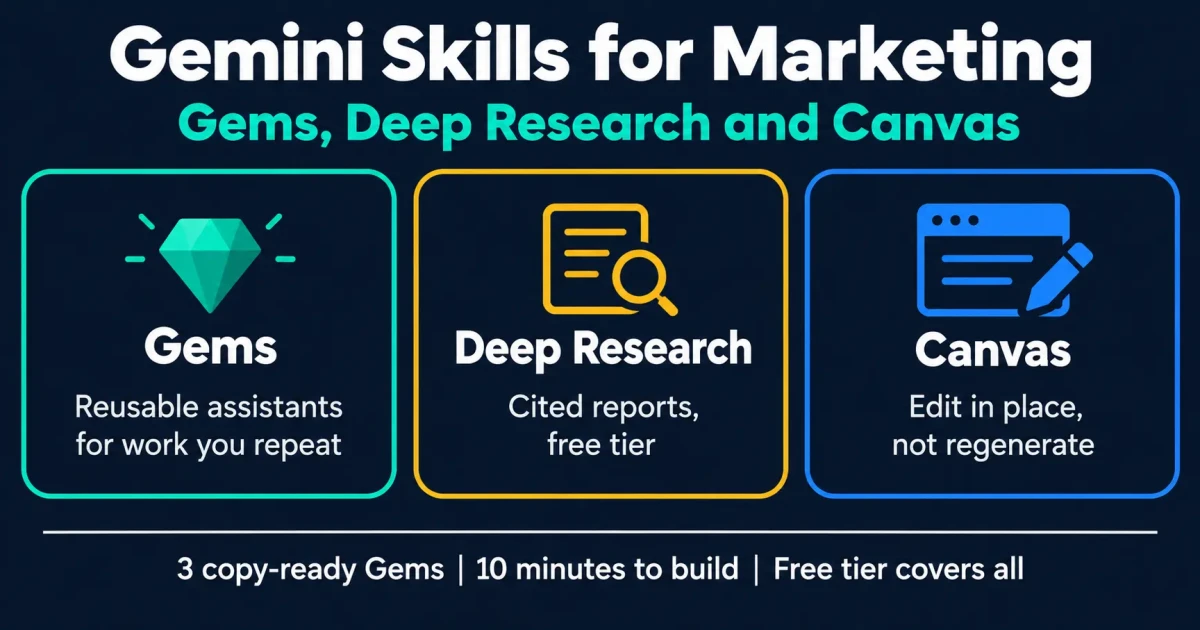
Gems are reusable assistants for jobs you repeat. Build one when you notice you are pasting the same context for the third time.
Deep Research is agentic and free-tier, which makes it the cheapest serious research tool a marketer has access to right now.
Canvas is for iterating on one document instead of regenerating it. It suits long copy, not quick answers.
A banned-phrases list in your Gem instructions removes more generic AI tone than any other single instruction.
All three work on the free tier, so there is no reason to pay before you know which one you actually use.
Gemini ships three features that matter for marketing work,
and most coverage treats them as a feature list rather than
a set of decisions. This page is organised the other way
round: what each one is genuinely good at, when to reach for
it, and what to build first, based on
14 years of running marketing campaigns
rather than a product tour.
3
Core Skills to Learn
10 min
To Build Your First Gem
Free
Tier Covers All Three
1M
Token Context Window
Which Skill for Which Job
If the job is
Use
Why
Something you do weekly
A Gem
The context is fixed. Stop retyping it.
Understanding a market or competitor
Deep Research
Browses many sources and returns a cited report.
Drafting one long piece
Canvas
Edit sections in place instead of regenerating.
Analysing a Sheet or export
Plain chat
Gemini reads Drive files natively. No setup needed.
A one-off question
Plain chat
Building a Gem for this wastes more time than it saves.
Gems: Reusable Assistants for Repeated Work
A Gem is Gemini with standing instructions and reference
files attached. The test for whether something deserves one
is simple: if you have pasted the same context three times,
make it a Gem.
How to Create a Gem in Gemini
Open the Gem managerFrom the Gemini sidebar, choose Gem manager, then New Gem. No paid plan required.
Name it after the job"SEO editor for [brand]", not "Writing helper". You will end up with several and need to pick one at a glance.
Write standing instructionsRole, audience, output format, and the rules that never change. Include an explicit banned-phrases list, which does more to remove generic AI tone than any other instruction.
Attach reference filesA style guide, two or three strong published pieces, and your ideal customer definition. The Gem reads these every session.
Test and tightenRun three real tasks through it. Every time you fix the output by hand, move that fix into the instructions so you never give the same note twice.
Gem 1: The Brand Editor
The highest-value Gem for most teams, because
it fixes the thing that actually makes AI writing
obvious: tone. It edits rather than generates,
which keeps a human's thinking in the piece.
Gem instructionsYou are the editor for [brand], a [what you do] serving [audience].
When I paste a draft, return it edited. Do not rewrite it from scratch. Preserve the argument and the author's opinions.
Rules:
- Cut hedging. "Can help improve" becomes "improves", or the claim gets removed.
- Every claim needs a number, a date, or a named method. Flag ones that do not have it.
- Ban: "in today's landscape", "unlock", "leverage", "seamless", "game-changer", "dive into", "it's important to note", "robust".
- Short sentences beat long ones. Vary the rhythm.
- Sentence case headings. [British/American] spelling.
After the edit, list what you changed and why, in under 100 words.
Gem 2: The Meta Tag Writer
Small job, done constantly, with rules that
never change: the ideal Gem candidate. Character
limits are the part a general chat session
forgets every single time.
Gem instructionsYou write meta titles and descriptions for [brand].
Hard limits, never exceeded:
- Title: 50-60 characters including the brand suffix " | [Brand]".
- Description: 140-158 characters.
Rules:
- Primary keyword in the first 40 characters of the title.
- The description must state a benefit and a differentiator, not summarise the page.
- No clickbait, no "Learn more", no ellipses.
- Count and print the character count after each one.
When I paste a URL or page text, return 3 title options and 2 description options.
Gem 3: The Brief Builder
Turns a target keyword into a brief a writer
can act on. The value is consistency: every
brief arrives in the same shape, so writers stop
asking what you meant.
Gem instructionsYou build content briefs for [brand], writing for [audience].
Given a target keyword, output exactly this structure:
1. Search intent, in one sentence.
2. The single question the page must answer.
3. A 40-60 word answer block to sit under the H1.
4. H2 outline, each H2 phrased as a question a buyer would type.
5. 4 FAQ pairs.
6. Entities and terms the page must mention to read as authoritative.
7. Internal links from [list your key pages], with anchor text.
8. What NOT to include, so the writer avoids padding.
Never invent statistics. Mark any place a real number is needed as [DATA NEEDED].
Deep Research: Agentic Reports, Free Tier
Deep Research browses a large number of sources and returns
a structured, cited report instead of a chat reply. It takes
minutes rather than seconds, and the output is closer to a
junior analyst's first draft than to a search result.
One caution worth stating plainly, because it is the mistake
that costs people credibility: treat the citations as
leads to verify, not as facts already checked.
Agentic research still misattributes claims, and a report
that looks authoritative is not the same as one that is
correct. Open the sources for anything you intend to publish
or say to a client.
Where It Earns Its Keep
Competitive landscapes before a
pitch. Market briefs for an industry you
do not know yet. Regulatory or technical
background where being wrong is expensive.
Prospect research ahead of a sales
call. It is weakest where the answer depends on
proprietary data no public source holds: your own
performance numbers, for instance.
PromptResearch the [industry] market in [country] for a company selling [offer] to [buyer].
Cover: market size and growth with sources and dates, the 5 main players and how each positions itself, typical pricing models, the top 3 buyer objections that appear repeatedly in reviews and forums, and regulatory constraints that affect marketing claims.
Flag anything where sources disagree, and say which source you would trust and why. Distinguish clearly between figures you found and figures you estimated.
Canvas: For Iterating, Not Generating
Canvas puts the document beside the conversation so you can
direct changes at specific parts of it. That sounds cosmetic
and is not: it changes the working pattern from "regenerate
and hope" to "fix this paragraph", which is how editing
actually works.
Good For
Landing page copy you revise section by section
Long articles where structure changes as you write
Email sequences that need a consistent voice across sends
Anything a colleague will review and mark up
Not Worth It For
Quick answers and one-off questions
Bulk generation of many short items
Data analysis, which belongs in a Sheet
Anything you will paste elsewhere immediately
Where to Take This Next
Gemini for SEO
Eight SEO workflows built on these skills, plus
what actually makes Google AI Overviews cite a
page.
Gems are saved, pre-configured versions of Gemini built for one repeated job. You give a Gem standing instructions and reference files once, then reuse it instead of re-explaining your brand, audience and format every session. They are Gemini's equivalent of ChatGPT's custom GPTs, with one practical difference: Gems are available on the free tier, while creating custom GPTs requires a paid ChatGPT plan.
Open the Gem manager from the Gemini sidebar and choose New Gem. Name it after the task, write standing instructions covering role, audience, output format and rules that never change, then attach reference files such as a style guide and two strong examples. Test it on three real tasks and move every manual correction you make into the instructions, so the Gem improves instead of repeating the same mistakes.
Deep Research is Gemini's agentic research mode. It browses a large number of sources, then returns a structured, cited report rather than a chat reply. It is available on the free tier, which makes it unusually good value for competitive research and market briefs. Treat the citations as leads to verify rather than facts already checked, because agentic research still misattributes claims, and a report that looks authoritative is not the same as one that is correct.
Canvas is a side-by-side editing workspace where the document stays visible while you direct changes to specific parts of it. For marketing work that suits iterative drafting such as landing page copy, a long article or an email sequence, where you want to revise section by section instead of regenerating the whole piece. It removes the chat pattern of scrolling back through a conversation to find the version you liked.
They solve the same problem and neither is clearly better. Gems win on access, because they work on the free tier and share naturally inside Google Workspace. Custom GPTs win on distribution and extensibility, because they can be published to a public directory and can call external APIs through actions. If your team lives in Google Workspace, Gems involve less friction; if you want to ship a tool to people outside your company, custom GPTs go further.
Want These Built Into Your Team's Workflow?
Book a free 30-minute call. I will map which Gems are worth building for your marketing stack and which tasks AI should not touch.