Best ChatGPT SEO Tracking Tools (2026): 9 AI Visibility Trackers Compared
Small budget: Otterly.AI Lite ($29/mo). On an SEO suite: SE Ranking Core ($129/mo, 100 daily prompts) or Semrush...
Read ArticleDigital Marketing Consultant
13+ years helping businesses in US, UK, Canada, Australia, UAE & India grow through SEO and AI-powered marketing.
Information
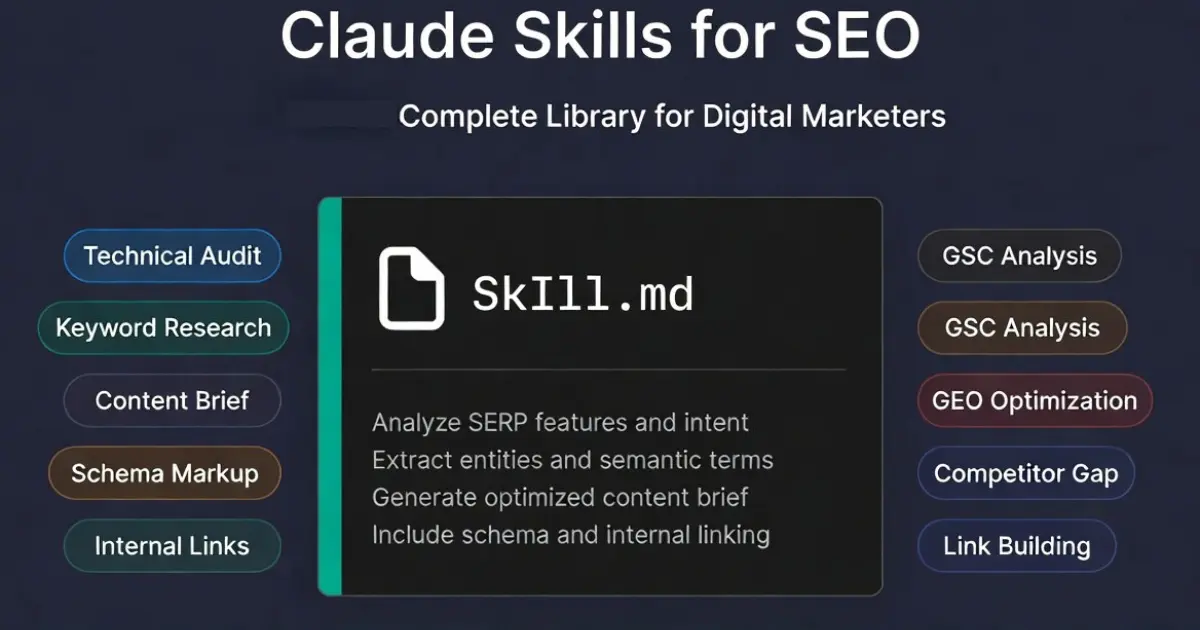
This page is a comprehensive resource for digital marketers and SEO professionals seeking to streamline and automate their SEO workflows using Claude Skills. Here, you will discover a complete library of Claude Skills for SEO: modular instruction files that empower Claude with expert-level knowledge for specific marketing tasks. By leveraging these skills, you can achieve greater efficiency, automate repetitive processes, and realize significant cost savings compared to traditional paid SEO tools. Whether you are managing multiple client sites or optimizing your own, Claude Skills for SEO offer a scalable, consistent, and high-quality approach to modern search engine optimization.
Claude skills for SEO are reusable instruction files that give Claude Code or Claude Projects a specialized SEO workflow. Instead of writing a long prompt every time you run an audit or build a content brief, a skill loads your professional requirements automatically at the start of each session. The result is consistent, high-quality SEO output without repetitive setup.
This library covers every Claude SEO skill tested on real client campaigns across US, UK, and European markets over 13 years of practice. Each skill includes what it does, when to use it, what output to expect, and how to install it in Claude Code, Claude Projects, or Claude Chat without any developer tools.
Definition: Claude Skills are modular instruction files that provide Claude with expert-level knowledge for specific marketing tasks, allowing for automated application without re-explaining processes each time.
A Claude skill is a self-contained SKILL.md markdown file that packages a complete SEO workflow into a single, reusable instruction set. Each skill can automate the entire workflow for a given SEO task, integrating steps like content analysis, keyword targeting, and report generation. When loaded into a Claude session, the skill tells Claude exactly how to approach a specific SEO task: what inputs to expect, what analysis to run, what format to return results in, and what quality standards to maintain throughout. It is important to first understand and document the manual process for each task, as this ensures the AI captures all detailed steps, edge cases, and quality checks before automation.
For digital marketers and SEO consultants who run the same types of analysis repeatedly, including audits, content briefs, keyword clustering, and schema generation, skills eliminate setup time and ensure every output meets the same professional standard, regardless of who on the team runs the analysis. Claude skills follow the same structure for every SEO task, ensuring consistency in outputs such as standardized SaaS content briefs with keyword mapping, search intent, and headings.
Workflow automation is facilitated by using reusable prompts or skills that act as a dedicated SEO team member.
.claude/skills/ directory in your project root.SKILL.md file.Note: you need a Claude account to enable and manage Claude Skills in Claude Code.
SKILL.md content as a project knowledge file at claude.ai.These are the Claude SEO skills that produced the most consistent, high-quality results across client work in competitive US B2B markets. Each skill is described with what it does, the input it needs, and the output it produces. These Claude skills support a comprehensive SEO strategy and can be seamlessly integrated into broader marketing workflows, ensuring your AI-powered SEO efforts align with your overall marketing objectives.
What it does: Performs a full site audit by taking a page's HTML source or a Screaming Frog export, and supports full site crawling for comprehensive technical SEO analysis. The audit covers title tag, meta description, H1-H3 hierarchy, schema markup, image alt text, internal links, canonical tag, and Core Web Vitals signals. It also includes search readiness checks and ongoing SEO drift monitoring to track changes in on-page SEO factors over time. Output is a prioritized action list, not a generic checklist.
Input needed: Paste the page HTML or Screaming Frog CSV. Optionally include target keyword and competitor URL for comparison.
Output: PASS/WARN/FAIL table with a one-line fix recommendation for every WARN and FAIL item, prioritized by ranking impact. The audit can help generate valid schema markup and diagnose indexing issues. Schema markup and structured data generated by the audit can help earn rich snippets in search results.
Best for: Comprehensive technical SEO audits, ongoing SEO health monitoring, weekly page audits, pre-publish checks, and client site reviews.
For a step-by-step workflow outside of Claude skills, use the 30-minute technical SEO audit checklist.
See the full audit workflow guide with copy-paste prompts for this skill.
What it does: Takes a seed keyword and generates a topic cluster map with intent labels (commercial, informational, navigational), suggested content formats, and a prioritized content calendar. Utilizes semantic clustering and semantic topic clustering to organize keywords for better search visibility and relevance. Also takes a bulk keyword export (up to 500 keywords) and groups them into logical clusters with primary and secondary keyword assignments per cluster. Intent-based keyword clustering is used to categorize large keyword lists by search intent, not just by shared text modifiers.
Input needed: One seed keyword for expansion, or paste a CSV of keywords from Google Keyword Planner, Ahrefs, or Semrush.
Output: Cluster map organized by topic pillar, with intent label, suggested URL, and content format for each cluster. The map is built using data-driven keyword and intent mapping, leveraging Google Search Console data to identify keyword gaps and enhance page performance.
Best for: Content strategy planning, new site architecture, topical authority building.
What it does: Generates a complete, ready-to-assign content brief for any target keyword. Supports answer engine optimization by structuring content for featured snippets, voice search, and direct answers, using answer-first formatting and Direct-Answer Structural Editing to maximize zero-click traffic by placing the main answer in the first two sentences. Includes: recommended word count, H2 and H3 structure, must-cover subtopics, People Also Ask questions to answer, internal linking targets, and E-E-A-T signal requirements. Built for B2B and professional services content where generic AI briefs consistently underperform.
Input needed: Target keyword, business type, target audience, and optionally 2 to 3 competitor URLs to analyze.
Output: Full content brief document ready to hand to a writer or use directly in Claude for drafting, with guidance for Human-Tone writing to improve content quality.
Best for: Blog post planning, service page creation, content teams needing consistent brief quality.
What it does: Generates technically accurate, validated JSON-LD schema markup for any page type: Article, FAQPage, Service, Review, HowTo, LocalBusiness, Organization, Person, BreadcrumbList, and nested combinations. The skill produces structured data that supports building a knowledge graph, improving search relevance and contextual understanding for both search engine optimization and large language model outputs. The schema markup generator also aids in engine optimization by structuring content for AI features like featured snippets, voice search, and AI citation systems. Output can be pasted directly into a page head or validated with Google's Rich Results Test before deploying.
Input needed: Page type, page content, business details. Can also take existing schema and audit it for errors and missing fields.
Output: Valid JSON-LD block ready to implement. Zero hallucinated fields. Claude confirms schema.org compliance for each property.
Best for: Service pages, blog posts, FAQ pages, local business pages, case study pages.
See Prompts 26 to 31 in the 47 prompts guide for copy-paste schema prompts for every page type.
What it does: Takes your sitemap or a list of pages and performs internal linking optimization to improve crawlability and link equity. It identifies internal linking gaps: orphan pages with no inbound links, high-priority pages with too few internal links, anchor text over-optimization issues, and missed linking opportunities between topically related pages, following the Claude SEO audit playbook workflows. Output is a prioritized fix list with suggested anchor text for each new link.
Input needed: Paste your sitemap XML or page list. Optionally include the Screaming Frog internal links export for deeper analysis.
Output: Orphan page list. Top 10 link gap opportunities with suggested source page, target page, and anchor text for each.
What it does: Takes your Google Search Console performance export (CSV) and leverages live SERP data by analyzing Google search results to identify the top quick-win opportunities: queries ranking between position 8 and 20 with 50+ impressions where a targeted content update could move the page to page one. Output includes the specific change recommended for each opportunity page, based on current search volumes and SERP trends.
Input needed: Export your GSC performance data as CSV (Performance tab, export button, last 90 days). Paste into Claude with this skill active.
Output: Top 10 quick-win pages ranked by opportunity size, with specific title tag, meta description, and content recommendations for each.
Best for: Monthly SEO reviews, client reporting, fast wins without building new content.
The GSC + Claude MCP setup guide connects this skill directly to live Search Console data without manual CSV exports.
What it does: Optimizes your content for AI search and AI-powered search engines by focusing on generative engine optimization (GEO) and answer engine optimization and overall search readiness. Evaluates your content from the perspective of how an LLM would extract and cite it, scoring each paragraph for extractability, identifying answer-first formatting gaps, flagging missing named statistics, checking for FAQPage schema, and evaluating entity authority signals. The skill helps design content to answer specific questions directly, using concise structured content and FAQ schema to improve chances of appearing in featured snippets and direct answers. Unique to Claude: it is the only free tool that evaluates your content from inside an LLM perspective.
Input needed: Paste your page content. Optionally include the target query you want to rank in AI Overviews for more specific recommendations.
Output: Citability score per section, specific rewrites for low-scoring paragraphs, schema additions needed, and a priority order for changes.
Best for: Any page where you want to appear in Google AI Overviews, ChatGPT search results, Perplexity citations, or other AI-powered search engines.
See the full AI Overviews citation guide for the complete 7-step implementation, plus this guide on building backlinks that get you cited by ChatGPT and Perplexity.
What it does: Compares your content against 2 to 3 competitor pages on the same keyword to identify content gaps and performs content gap analysis by evaluating discrepancies between your existing content and competitors'. The skill systematically builds a search intent graph to understand audience interests and maps it against your existing content to identify content gaps and areas for improvement. This skill assesses content quality by examining factors such as readability, topical depth, keyword integration, and semantic relevance to ensure alignment with search intent. It generates a prioritized list of content gaps along with actionable recommendations to boost ranking potential and increase chances of AI citations.
Input required: Your page content along with content from 2 to 3 competitor pages, either pasted directly or retrieved via Perplexity.
Output provided: Gap analysis table highlighting topics competitors cover that your content lacks, with specific suggestions to add, expand, or deprioritize each gap.
This method helps identify low-competition, high-volume topics, offering valuable opportunities to strengthen your topical authority.
There is no boxed "Claude SEO tool" to download, and anything sold that way is a wrapper. Claude itself becomes the SEO analysis software the moment you load these skill files. The technical audit skill turns it into a site checker that outputs prioritized PASS/WARN/FAIL findings. The GSC quick-win skill turns it into a performance analyzer that reads your real Search Console exports. The GEO skill turns it into an AI visibility scanner no paid suite currently offers. That is the whole idea of this library: one $20/month Claude subscription plus free skill files replacing roughly $410/month of single-purpose SEO software.
If you want a one-click option instead of a workflow, run my free SEO audit tool: it performs 115+ checks on any URL in about a minute, no setup. And if you are comparing Claude against dedicated checkers, I tested the main options side by side in this Claude SEO checker comparison.
A Claude prompt is a single instruction typed fresh each session. A Claude skill is a persistent workflow file loaded automatically so you never have to re-explain your requirements each time. Claude skills work by enabling, building, and deploying custom skills using an interactive skill creator tool, which guides users through the process without requiring technical expertise. These skills can be used across Claude.ai, Claude Code, and the Claude API, ensuring consistent workflows regardless of the platform. For a broader marketing view beyond SEO, see the library of Claude skills for digital marketing. For SEO work done more than once a week, skills save 10 to 30 minutes per session compared to starting from a blank prompt.
You are running a one-off task, experimenting with a new workflow, or working in Claude Chat without a Projects setup.
You run the same SEO analysis regularly, manage multiple client sites, or want consistent output quality without repeating instructions every session.
Every Claude SEO skill follows this SKILL.md structure. Save this file as SKILL.md in your .claude/skills/your-skill-name/ directory or upload it to a Claude Project as knowledge.
---
name: seo-technical-audit
description: Full technical SEO audit for any page.
  Use when asked to audit a page, check SEO, or review
  on-page optimization. Input: paste page HTML or URL.
---

# Technical SEO Audit Skill

## What You Do
Perform a complete technical SEO audit and return
a PASS/WARN/FAIL report with a one-line fix for
every issue found.

## Input Expected
- Page HTML (pasted) or URL to fetch
- Target keyword (optional)
- Competitor URL for comparison (optional)

## Output Format
Return a table with these columns:
| Element | Status | Issue | Fix |

## Quality Standards
- Flag every title tag over 60 characters as WARN
- Flag missing meta description as FAIL
- Flag missing FAQPage schema on blog posts as WARN
- Check H1 count: more than one H1 is a FAIL
- Check image alt text: missing = FAIL

## Rules
1. Never invent data. Only report what is in the HTML.
2. Prioritize by ranking impact, highest first.
3. Include a summary score at the end: X/10
Customize the name, description, input, output format, and rules for any of the 8 skills above. The structure is the same for all skill types.
Claude skills do not replace every function of paid SEO tools, but they support advanced strategies such as programmatic SEO, e-commerce SEO, international SEO, and local SEO. They replace specific high-value functions at a fraction of the cost. To understand how Claude compares to other AI tools across common tasks, see this comparison of Claude, ChatGPT, and Perplexity for SEO workflows. Claude skills can also assist with maps intelligence, SEO GEO, and optimizing for web search. Here is what the $0 to $20/month Claude stack covers versus what still requires paid tools.
Overall, Search Engine Optimization (SEO) efforts can be enhanced using these various strategies.
Total cost: $0 to $20/month. Covers 80% of what a $400/month tool subscription delivers for most independent consultants and small marketing teams, especially when combined with Claude-powered rank tracking analysis from GSC exports. See the full AI SEO tools comparison for the complete breakdown.
Go deeper with these guides that complement the SEO skills above. Each one includes step-by-step instructions and copy-paste prompts you can use immediately, and the broader Claude AI resource hub for digital marketers explains how to plug these skills into full-funnel campaigns.
47 tested prompts covering every SEO task from technical audits to content optimization.
View all 47 prompts and pair them with this free Claude SEO checker workflow guide.
Claude vs ChatGPT vs Perplexity vs Gemini. Which AI performs best for each SEO task.
Read the comparison and, when you are ready to use live data, follow the guide on connecting Google Search Console to Claude with MCP.
The 7-step process to get your content cited in Google AI Overviews and ChatGPT search.
Read the guide and try the free Claude AI SEO + GEO audit tool with 31 checks.
SKILL.md) that give Claude Code or Claude Projects a specialized SEO workflow. Each skill is a self-contained markdown file covering a specific SEO task: technical audits, keyword research, schema generation, or GEO optimization. When loaded into a Claude session, the skill guides Claude to perform that task with professional-level precision without requiring a long prompt each time.
For Claude Code:
.claude/skills/ directory in your project root.SKILL.md file for each skill you want.For Claude Projects (claude.ai):
SKILL.md content as a project knowledge file.For Claude Chat:
If you want hands-on help setting this up for your site, you can book a free SEO strategy call. No command line or developer tools required for the Projects and Chat methods.
Book a free 30-minute strategy call. I'll show you exactly which Claude skills will save you the most time on your specific SEO workflow.
Small budget: Otterly.AI Lite ($29/mo). On an SEO suite: SE Ranking Core ($129/mo, 100 daily prompts) or Semrush...
Read Article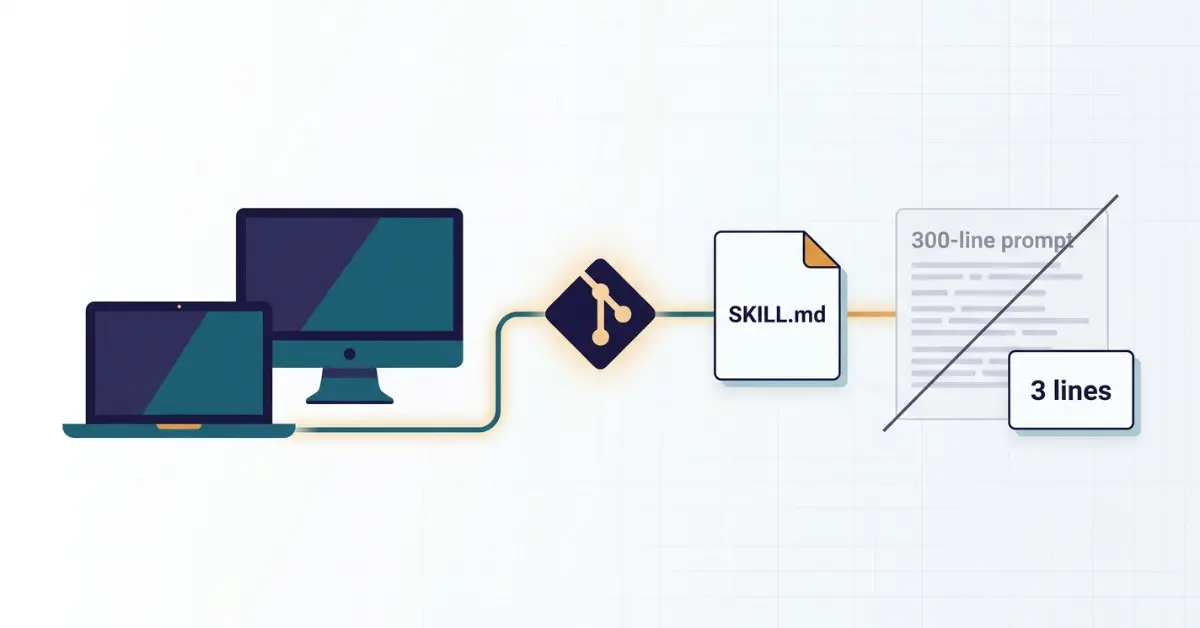
Running Claude Code routines from a pasted master prompt breaks across machines. Here is how moving them into...
Read Article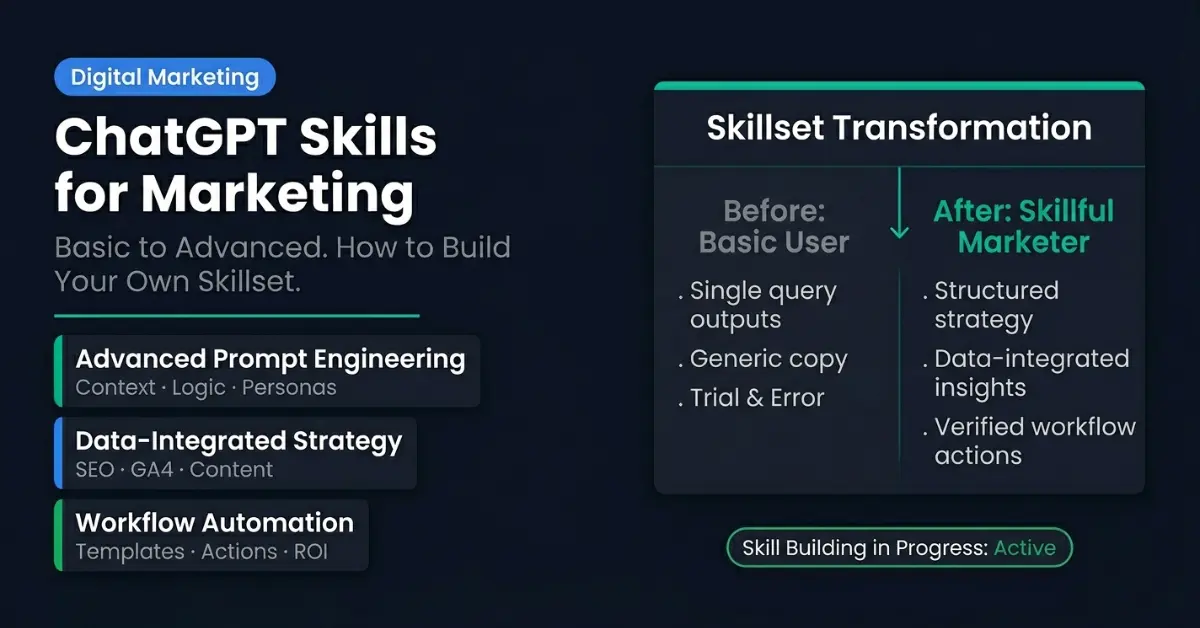
ChatGPT Skills turn your best prompts into repeatable workflows. Here's what they really are, who can use them...
Read Article