Claude Technical SEO Audit Checklist
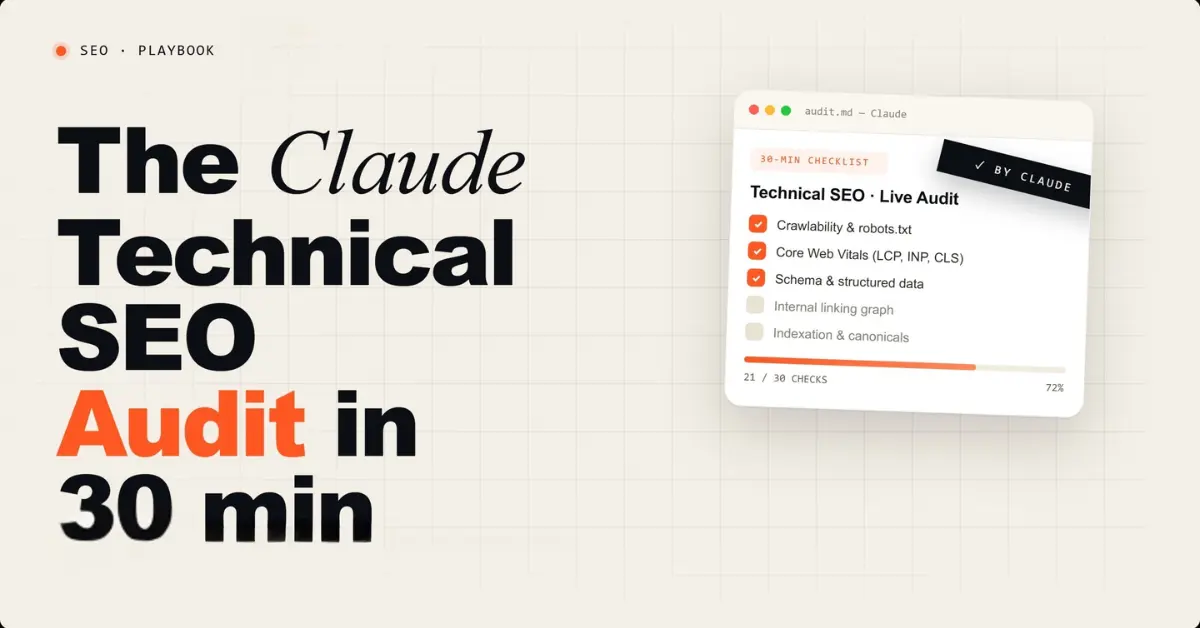
A technical SEO audit does one thing: it confirms whether Google can find, crawl, render, and properly evaluate your pages. When something in that chain breaks, it does not matter how good your content is. Pages that cannot be crawled cannot rank. Pages that are not indexed cannot earn traffic. Pages with broken schema cannot earn rich results. Pages blocked from AI crawlers cannot earn citations in ChatGPT or Perplexity.
This checklist runs 12 technical SEO checks using Claude and free tools in 30 minutes. Each check includes the exact Claude prompt to run it, what a passing result looks like, and the specific fix when something fails. Every check has been verified against real client sites in 2026, not hypothetical scenarios.
For context on where this checklist fits in a broader SEO workflow: the 7-workflow Claude SEO checker guide covers on-page and content checking in detail. This checklist focuses entirely on the technical layer that sits beneath your content. Both need to pass before organic rankings become reliable.
What This Checklist Covers
- Key Takeaways
- Setup: What You Need Before Starting
- Check 1: Robots.txt and Crawlability
- Check 2: XML Sitemap Validation
- Check 3: Canonical Tag Audit
- Check 4: Index Coverage Review
- Check 5: Title Tag and Meta Description Audit
- Check 6: H1 and Heading Hierarchy
- Check 7: Schema Markup Validation
- Check 8: Core Web Vitals Review
- Check 9: Mobile Usability Check
- Check 10: Internal Link Structure
- Check 11: 404 Errors and Redirect Chains
- Check 12: AI Crawler Accessibility
- What Claude Cannot Check
- The Free Tool Stack
- Frequently Asked Questions
Key Takeaways
- Claude can perform 9 of the 12 technical SEO checks in this list when given the right input data. The 3 it cannot perform (live crawl errors, page speed measurement, and bulk redirect chain detection) require free tools that take under 5 minutes to set up.
- Check 12 (AI Crawler Accessibility) is the most commonly missed technical SEO check in 2026. Alli AI analysis of 24 million proxy requests from January to March 2026 confirmed that AI crawlers now make 3.6x more requests than Googlebot. Most sites have never evaluated whether their robots.txt correctly distinguishes between ChatGPT's training crawler (GPTBot) and retrieval crawler (ChatGPT-User).
- The most impactful single check for immediate ranking improvement is Check 7 (Schema Markup). Schema errors that appear minor in a Rich Results test report can completely block AI Mode citations and featured snippets regardless of content quality.
- Running this full checklist on a site that has never been audited typically surfaces 8 to 15 technical issues. On a well-maintained site with regular audits, expect 2 to 5 issues per audit cycle. The checklist is designed for monthly use, not one-time application.
- The GEO and AEO readiness check (covered in the complete GEO and AEO optimization guide) is a separate layer that runs after this technical checklist. Technical and content optimization are sequential: fix the technical layer first, then optimize for AI citation.
Setup: What You Need Before Starting
The checklist requires four things: access to your site's HTML (either the live site or your CMS editor), a Google Search Console verified property for your domain, Claude at claude.ai (free tier is sufficient for all 12 checks), and Screaming Frog SEO Spider free version (covers up to 500 URLs, handles checks 10 and 11). All four are either free or already in use if you manage any site seriously in 2026.
Time allocation: checks 1 through 9 take approximately 20 minutes total using Claude. Checks 10 and 11 using Screaming Frog take approximately 5 minutes of crawl setup plus crawl runtime. Check 12 takes 5 minutes. Total: 30 minutes for a complete technical audit on a site under 500 URLs.
For sites above 500 URLs, Screaming Frog's paid version at $259/year is worth the investment for checks 10 and 11 specifically. Everything else scales to any site size using Claude and GSC regardless of page count.
Check 1: Robots.txt and Crawlability
What it checks: Whether your robots.txt file is accidentally blocking Googlebot, other search crawlers, or AI retrieval crawlers from accessing important pages.
How to get the data: Go to yourdomain.com/robots.txt in a browser. Copy the entire contents.
Claude Prompt
Audit this robots.txt file for technical SEO issues.

[paste your full robots.txt content]

Check for:
1. Any Disallow rules that block Googlebot from important
   pages (product pages, blog posts, service pages)
2. Any rules that accidentally block all bots from the
   entire site (Disallow: /)
3. Whether the sitemap URL is declared at the bottom
4. Whether ChatGPT-User (retrieval crawler) is blocked
   separately from GPTBot (training crawler)
5. Whether PerplexityBot and ClaudeBot are explicitly
   allowed or blocked

For each issue found: show the current rule, explain
the impact, and provide the corrected version.
Priority: Critical / Important / Minor
Pass condition: No Disallow rules blocking important pages. Sitemap URL declared. ChatGPT-User and GPTBot treated as separate rules with deliberate intent for each.
Most common failure: A wildcard rule like Disallow: / under a bot agent that accidentally includes Googlebot through inheritance. This blocks the entire site from crawling and produces zero rankings within weeks of deployment.
If you are running this check because traffic has already fallen, my traffic drop diagnosis guide helps you rule the other usual causes, from core updates to AI Overviews, in or out.
Check 2: XML Sitemap Validation
What it checks: Whether your sitemap is correctly formatted, submitted to GSC, and contains the right URLs at the right frequencies.
How to get the data: Go to yourdomain.com/sitemap.xml. Copy the contents. Also check GSC under Sitemaps to see the submission status and any errors reported.
Claude Prompt
Validate this XML sitemap for technical SEO issues.

[paste your sitemap XML content or the first 50 URLs]

Check for:
1. Correct XML namespace declaration at the top
2. Every URL uses the full absolute path (https://domain.com/path)
   not relative paths (/path)
3. No URLs that return 404 or redirect (if you know any, note them)
4. lastmod dates present and in correct ISO 8601 format
5. changefreq values are appropriate for the content type
   (blog posts: weekly, static pages: monthly)
6. Priority values are set (homepage 1.0, main pages 0.8,
   blog posts 0.6, supporting pages 0.4)
7. No URLs that are blocked by robots.txt appear in the sitemap
   (this creates a contradictory signal to Google)

For each issue: show the problem URL or element,
explain the impact, and provide the corrected XML.
Pass condition: All URLs absolute, correct namespace, no blocked URLs in sitemap, dates in correct format. Submitted in GSC with zero errors reported.
Most common failure: URLs in the sitemap that are also blocked in robots.txt. Google sees this as a contradictory signal: the sitemap says "index this" and robots.txt says "do not crawl this." Google's behavior in this situation is unpredictable and typically results in pages that neither rank nor earn rich results reliably.
Check 3: Canonical Tag Audit
What it checks: Whether your canonical tags are correctly implemented, self-referencing where appropriate, and free from conflicts that create duplicate content signals.
How to get the data: View the HTML source of your 5 most important pages (right-click, View Page Source in any browser). Copy the head section of each page.
Claude Prompt
Audit the canonical tag implementation across these pages.

Page 1 (homepage):
[paste head section HTML]

Page 2 (main service/product page):
[paste head section HTML]

Page 3 (blog post):
[paste head section HTML]

Page 4 (category/archive page):
[paste head section HTML]

Page 5 (any paginated page if applicable):
[paste head section HTML]

Check each page for:
1. Canonical tag present in the head section
2. Canonical URL is absolute (includes https://) not relative
3. Canonical URL matches the page's own URL (self-referencing)
   unless it intentionally points to a different canonical
4. No page has both a noindex meta tag AND a canonical tag
   (these conflict ,  noindex prevents indexing while canonical
   suggests you want the page indexed)
5. Paginated pages: does each page canonicalize to itself
   (correct) or all to page 1 (incorrect for most cases)
6. HTTP vs HTTPS inconsistency in canonical URLs

Flag every issue with: page, the current canonical value,
the problem, and the corrected canonical tag HTML.
Pass condition: Every important page has a self-referencing canonical tag using the exact URL format (www vs non-www, trailing slash vs none) that matches your GSC property. No conflicts with noindex tags.
Most common failure: Canonical tags using HTTP in the canonical URL while the page serves on HTTPS. This creates a split signal: Google sees the page on HTTPS but the canonical points to HTTP, effectively telling Google the authoritative version is the non-secure URL. On sites migrated from HTTP to HTTPS, this pattern persists in templates for months without anyone noticing.
Check 4: Index Coverage Review
What it checks: Which pages Google has indexed, which it has crawled but not indexed, and why. This check uses GSC directly rather than Claude, since GSC is the source of truth for indexing status.
How to run it: Go to GSC, click Pages in the left sidebar, review the status breakdown. Note the count in each category: Indexed, Not Indexed (broken down by reason), and the specific reasons for non-indexing.
The most important non-indexing reasons to investigate are "Crawled, currently not indexed" (Google crawled the page but chose not to index it, usually a content quality signal), "Discovered, currently not indexed" (Google knows the page exists but has not crawled it yet, usually a crawl budget or internal link signal), and "Excluded by noindex tag" (the page has a noindex tag, which may be intentional or a misconfiguration).
Claude Prompt (for diagnosis after reviewing GSC)
Help me diagnose why these pages are "Crawled, currently
not indexed" in Google Search Console.

Here are the affected URLs:
[list your Crawled not indexed URLs]

For each URL, I will paste the page content below.
Evaluate whether the content is likely being excluded
for these reasons:
1. Thin content (under 300 words of substantive information)
2. Duplicate or near-duplicate of another page
3. Content that does not pass the "would Google remove
   something searchers couldn't find elsewhere" test
4. Page structured in a way that makes it hard to extract
   a clear primary topic
5. No internal links pointing to this page (orphan page)

For each URL: give me a diagnosis (most likely reason)
and the specific fix (content expansion, merge with
another page, add internal links, or other).

[paste page content for each URL]
Pass condition: The majority of your important pages are in the Indexed status. "Crawled, currently not indexed" should be under 10% of your total submitted URLs. If it is higher, a content or internal link issue is more likely than a technical issue.
A practical note: Persistent "Crawled not indexed" validation failures in GSC are best resolved by using individual URL Inspection and Request Indexing per URL rather than the bulk Validate Fix button. The bulk validation fails when new pages are being published faster than the batch process can catch up. This is covered in detail in the rank tracking and GSC workflow guide.
Check 5: Title Tag and Meta Description Audit
What it checks: Whether your title tags and meta descriptions are the right length, include the right keywords, and are compelling enough to earn clicks at their current SERP position.
How to get the data: Export your GSC Performance data for 90 days. Filter to pages with high impressions and low CTR (under 1% at position 1 to 10, under 0.5% at position 11 to 20). These are your title and meta description failures.
Claude Prompt
Audit these title tags and meta descriptions for technical
and click-through rate issues.

For each page:
Current URL: [URL]
Current title tag: [title]
Current meta description: [meta description]
Primary GSC query: [the query driving most impressions]
Current position: [position]
Current CTR: [CTR%]

Check each for:
TECHNICAL:
. Title tag length: flag if over 60 characters
. Meta description length: flag if over 155 characters
. Primary keyword placement: should appear in first half
  of title, not the second half
. No keyword stuffing (same keyword 3+ times)

CTR QUALITY:
. Does the title create a compelling reason to click
  over the 4 results ranked above it?
. Does the title match the searcher's intent for
  the primary GSC query?
. Does the meta description include a specific value
  proposition or outcome?
. Is there a number, year, or outcome word in the title?

For every page that fails any check: provide a
rewritten title (under 60 chars) and meta description
(under 155 chars) that fixes the issue.
Pass condition: All title tags under 60 characters, meta descriptions under 155 characters, primary keyword in first half of title, CTR meeting or exceeding position benchmarks (position 1: 15% to 30%, position 2 to 3: 8% to 15%, position 4 to 7: 3% to 7%, position 8 to 15: 1% to 3%).
Check 6: H1 and Heading Hierarchy
What it checks: Whether your pages have correct heading structure for both search engine evaluation and AI content extraction.
How to get the data: View page source for your 5 most important pages. Alternatively, paste page HTML directly into Claude.
Claude Prompt
Audit the heading structure across these pages.

[paste full HTML or content with headings for each page]

Check each page for:
1. Single H1 per page (multiple H1s split the topic signal)
2. H1 contains the primary keyword naturally
3. H1 is not identical to the title tag (they can share
   the keyword but should not be word-for-word identical)
4. H2s appear before H3s (no H3 before an H2 on same page)
5. No empty heading tags
6. Each H2 section opens with a direct answer sentence
   (not with context or background ,  this affects both
   featured snippet eligibility and AI citation extraction)
7. Heading hierarchy makes logical sense as an outline
   (does H2 flow naturally to H3 as a subtopic?)

For each issue: the page, the heading, the problem,
and the corrected heading text or structure.
Pass condition: One H1 per page containing the primary keyword. H2 before H3, no empty headings. Each H2 opens with a direct answer. This heading structure serves both Google's featured snippet extraction and AI tools' passage-level citation extraction, as covered in the AI Overviews citation guide.
Check 7: Schema Markup Validation
What it checks: Whether your structured data is syntactically correct, contains the required properties for its schema type, and passes Google's Rich Results Test.
Schema validation is the technical check with the highest direct impact on both rich results in Google Search and AI citation eligibility. FAQPage schema specifically maps directly to how AI retrieval systems extract question-answer content. A page with valid FAQPage schema gives AI systems an explicit signal about which content answers which question, eliminating the inference step from the extraction process.
Claude Prompt
Validate this schema markup for technical errors
and missing required properties.

[paste your full JSON-LD schema code from each page]

For each schema block, check:

SYNTAX:
. Valid JSON syntax (no missing commas, brackets, quotes)
. @context is https://schema.org
. @type matches the page content type

REQUIRED PROPERTIES by schema type:
Article: headline, author (name), datePublished, publisher
FAQPage: mainEntity array with Question and acceptedAnswer
  per item, each with @type, name, and text properties
Person: name minimum; jobTitle, url, sameAs recommended
Organization: name, url minimum; logo, contactPoint
  recommended
BreadcrumbList: itemListElement array with each item having
  @type ListItem, position (integer), name, and item (URL)
Service: name, provider (Organization), description,
  areaServed

For each error found:
. Show the current broken code section
. Explain what is wrong
. Provide the corrected JSON-LD

After checking syntax, list any recommended properties
missing from each schema type that would improve
rich result eligibility.
After running the prompt: Take the corrected JSON-LD and paste it into Google's Rich Results Test at search.google.com/test/rich-results. Any errors that Claude missed will appear there. Fix all errors before considering the schema check passed.
Pass condition: All JSON-LD passes Rich Results Test with zero errors. FAQPage schema present on all blog posts and service pages. Article schema on all blog posts with correct datePublished and author fields.
Treat that as the floor rather than proof: in a Q1 2026 audit for a US professional services client, this schema check found six semantic errors on pages that had all passed the Rich Results Test, and I show what fixing them did for AI Mode visibility in my schema-fix case study.
Check 8: Core Web Vitals Review
What it checks: Whether your pages meet Google's Core Web Vitals thresholds for real user experience as measured by field data (actual user sessions, not lab tests).
Claude cannot measure Core Web Vitals because it has no access to live performance data. This check uses two free Google tools: PageSpeed Insights (free, at pagespeed.web.dev) for per-URL measurement, and GSC's Core Web Vitals report (free, under Experience in the sidebar) for site-wide field data.
The three metrics that constitute Core Web Vitals in 2026 are Largest Contentful Paint (LCP, should be under 2.5 seconds), Interaction to Next Paint (INP, should be under 200 milliseconds), and Cumulative Layout Shift (CLS, should be under 0.1). Pages failing any of these thresholds are marked "Poor" or "Needs Improvement" in GSC's Core Web Vitals report.
Claude Prompt (after getting PageSpeed data)
Help me diagnose and fix these Core Web Vitals issues.

My PageSpeed Insights results for [URL]:
LCP: [value and score]
INP: [value and score]
CLS: [value and score]

The specific diagnostic items PageSpeed flagged:
[paste the Diagnostics section from PageSpeed report]

My site runs on: [your CMS / tech stack]

For each failing metric:
1. Explain why this specific metric is failing based on
   the diagnostic items PageSpeed identified
2. List the fixes in order of expected impact (highest first)
3. For each fix, tell me whether it requires a developer
   or can be implemented through CMS settings/plugins
4. Estimate the improvement each fix is likely to produce
Pass condition: LCP under 2.5 seconds, INP under 200ms, CLS under 0.1 for your primary pages as reported in GSC's Core Web Vitals field data. Lab scores from PageSpeed are useful for diagnosis but field data scores in GSC are the authoritative ranking signal.
Check 9: Mobile Usability Check
What it checks: Whether your pages render correctly on mobile devices and pass Google's mobile usability requirements.
Google indexes and ranks the mobile version of your pages first (mobile-first indexing). A page that renders perfectly on desktop but has mobile usability issues is evaluated by Google based on its mobile rendering, not its desktop appearance.
Claude Prompt
Audit this page's HTML for mobile usability issues.

[paste full page HTML]

Check for:
1. Viewport meta tag: should be

   Flag if missing or incorrect
2. Text size: font-size should be at least 16px for body
   text on mobile. Flag any CSS setting body or p to
   under 14px
3. Tap target size: buttons and links should be at least
   48px x 48px for comfortable mobile tapping. Flag any
   inline button or link CSS with height or padding under
   44px
4. Horizontal scrolling: any element with a fixed width
   wider than the viewport (over 375px for a typical
   mobile screen) will cause horizontal scroll. Flag any
   fixed-width elements
5. Content wider than screen: images without
   max-width: 100% will overflow mobile screens. Flag
   any img element without responsive width handling

For each issue: show the current code, the problem,
and the corrected CSS or HTML.
Additionally: Check GSC under Experience, Mobile Usability for a list of pages Google has flagged for mobile issues. Any pages listed there need the above audit prioritized immediately.
Check 10: Internal Link Structure
What it checks: Whether your pages are connected through a logical internal linking structure that distributes authority from strong pages to newer pages and prevents orphan pages (pages with no internal links pointing to them).
How to get the data: Run Screaming Frog's free crawler on your domain. After crawling, go to Bulk Export, All Inlinks. This gives you every internal link relationship on your site.
Claude Prompt
Analyze this internal link data and identify structural
issues and opportunities.

[paste the Screaming Frog inlinks export or a summary
showing URL, inlink count, and outlink count per page]

My highest-traffic pages (from GSC) are:
[list your top 5 pages by clicks]

My newest pages needing authority are:
[list your most recently published important pages]

Identify:
1. Orphan pages: URLs with zero or one inlinks that
   are important content (not admin, tag, or system pages)
2. Pages with high outlinks but few inlinks: these
   are passing authority away without receiving it
3. Missing links: based on the topics of my top pages
   and newest pages, which specific internal link
   additions would most benefit the newer pages?
4. Anchor text patterns: are any important pages
   receiving all their internal links with the same
   anchor text? (variation is better)

For each opportunity: the source page, the destination
page, the recommended anchor text, and where in the
source page the link fits naturally.
Pass condition: No important pages with zero internal links pointing to them. Every newly published page receives at least 2 to 3 internal links from established pages within the first week of publication. Your highest-traffic pages link out to newer content to distribute authority across the cluster.
Check 11: 404 Errors and Redirect Chains
What it checks: Broken links that waste crawl budget and frustrate users, and redirect chains that slow page loading and lose link equity through each redirect hop.
How to get the data: In Screaming Frog, after crawling your site, go to Response Codes and filter to 4XX for 404 errors and 3XX for redirects. For redirect chains specifically, go to Reports, Redirect Chains.
Claude Prompt
Help me prioritize and fix these 404 errors and redirect
chains from my site crawl.

404 ERRORS FOUND:
[list the broken URLs and the pages that link to them]

REDIRECT CHAINS FOUND:
[list any chains with 2+ hops, e.g., URL A > URL B > URL C]

For the 404 errors:
1. Should each broken URL be redirected to an existing
   relevant page (301 redirect) or simply removed from
   the linking page?
2. If redirecting, suggest the most appropriate destination
   URL based on the broken URL's implied topic

For the redirect chains:
1. Which chains have 3 or more hops? (these lose
   significant link equity and slow load time)
2. What is the final destination URL for each chain?
3. Should the initial URL redirect directly to the
   final destination (collapsing the chain)?

Prioritize by: pages with most inlinks first, then
chains with most hops.
Pass condition: Zero internal links pointing to 404 pages. No redirect chains longer than one hop (A goes directly to B, never A to B to C). External links pointing to redirected URLs are acceptable since you cannot always control external sources, but your own internal links should always point to the final canonical URL.
Check 12: AI Crawler Accessibility
What it checks: Whether your robots.txt correctly handles the distinction between AI training crawlers and AI retrieval crawlers, and whether the right crawlers have access to your content.
This check did not exist in technical SEO audits two years ago. It is now one of the most impactful checks for B2B sites whose buyers use AI tools for research. Alli AI analysis of 24 million proxy requests from January to March 2026 confirmed that AI crawlers collectively make 3.6x more requests than Googlebot. OpenAI operates two distinct crawlers with different functions: GPTBot collects data to train future OpenAI models (your robots.txt can allow or block this based on whether you want your content used for training), and ChatGPT-User fetches pages in real time when users ask ChatGPT questions (blocking this makes your content invisible in ChatGPT's answers even if you rank well in Google).
Claude Prompt
Audit my robots.txt for AI crawler accessibility.

[paste your full robots.txt]

My business goal: I want my content to appear in
ChatGPT and Perplexity answers for relevant queries.
I [do / do not] want my content used to train AI models.

Check the following crawlers and tell me the current
access status (Allowed / Blocked / Not specified):

1. ChatGPT-User (OpenAI retrieval crawler for live answers)
   User-agent: ChatGPT-User
2. GPTBot (OpenAI training crawler for model improvement)
   User-agent: GPTBot
3. ClaudeBot (Anthropic's crawler)
   User-agent: ClaudeBot
4. PerplexityBot (Perplexity's crawler)
   User-agent: PerplexityBot
5. Googlebot (Google's main crawler)
   User-agent: Googlebot
6. Bingbot (Microsoft Bing's crawler)
   User-agent: Bingbot

For each crawler not explicitly specified in my
robots.txt: explain the default behavior (allowed
or blocked) and recommend whether to explicitly
specify it based on my stated goals.

Provide the corrected robots.txt sections for any
crawlers that need explicit rules added.
Pass condition: ChatGPT-User explicitly allowed (this is the retrieval crawler that determines whether you appear in ChatGPT's live answers). PerplexityBot and ClaudeBot allowed. GPTBot set based on your deliberate choice about AI training data (either allow or disallow, but make it intentional). Bingbot allowed (Bing indexes are how ChatGPT finds content to retrieve).
Note: Bing Webmaster Tools verification is a separate but equally important prerequisite. Your content being accessible to Bingbot matters nothing if your site is not verified in Bing Webmaster Tools, because Bingbot may not prioritize crawling unverified sites. Verify at bing.com/webmasters if you have not done so. This is the single most commonly missed AI visibility prerequisite documented across real client campaigns, as covered in the LLM citation strategy guide.
What Claude Cannot Check
Three technical SEO functions are outside Claude's capability regardless of prompting approach. Understanding these limits prevents wasted time and ensures you use the right tool for each task.
Live crawl error detection: Claude cannot crawl your site and identify which URLs return 404, 500, or redirect responses. Screaming Frog (free up to 500 URLs), Google Search Console's Coverage report, or Ahrefs Webmaster Tools free tier handle this function. Check 11 above covers the diagnosis step once you have the crawl data.
Real-time Core Web Vitals measurement: Claude cannot measure your actual page load times, LCP, INP, or CLS scores. These require browser-based measurement tools. Google PageSpeed Insights (free) measures lab data per URL. GSC's Core Web Vitals report provides field data from actual user sessions, which is the authoritative signal for Google's ranking evaluation.
Backlink profile analysis: Claude cannot retrieve your backlink profile or identify toxic links. Ahrefs Webmaster Tools (free for verified domains) provides a basic backlink overview. Google Search Console's Links report shows your highest-linked pages and top linking domains. For detailed backlink analysis, Ahrefs or Semrush paid plans are required.
The Free Tool Stack for Technical SEO
The complete free technical SEO tool stack that covers everything in this checklist:
Claude free at claude.ai: Checks 1, 2, 3, 5, 6, 7, 8 (diagnosis), 9, 10 (analysis), 11 (analysis), and 12. The analysis and diagnosis layer for all data-based checks.
Google Search Console (free): Check 4 (index coverage), Check 8 (Core Web Vitals field data), Check 9 (mobile usability errors), and the performance data that feeds Checks 5 and 10. The authoritative source for how Google sees your site.
Screaming Frog free (up to 500 URLs): Checks 10 and 11. The site crawl tool that identifies internal link structure and detects 404 errors and redirect chains across your full URL set.
Google PageSpeed Insights (free): Check 8 lab data. Per-URL performance measurement for diagnosing Core Web Vitals failures before checking field data in GSC.
Google Rich Results Test (free): Check 7 validation. Schema markup syntax verification that confirms your JSON-LD will be processed correctly by Google's structured data systems.
Bing Webmaster Tools (free): Verification prerequisite for Check 12. Ensures ChatGPT's retrieval system can index and find your content. Takes 15 minutes to set up once and requires no ongoing maintenance beyond the initial sitemap submission.
This six-tool stack covers every function in this 12-point checklist at zero cost. The only function the free stack cannot perform is bulk backlink analysis, which requires Ahrefs or Semrush paid plans. For the complete tool comparison including paid options, the SEO tool stack guide covers all tiers from $0 to $200/month with honest per-function scoring.
Frequently Asked Questions



Leave a Comment
Your email address will not be published. Comments are moderated before appearing.