How To Use Claude For SEO Audit

You can run a complete SEO audit using Claude AI in 90 minutes at zero cost. No Semrush subscription. No Surfer SEO. No Clearscope. The workflow below covers six audit phases: technical health, on-page optimization, content quality, internal linking, GSC quick wins, and the phase most guides skip entirely in 2026: GEO and AI search visibility.
Most Claude SEO audit guides stop at classic on-page checks. This one goes further because your rankings now depend on two parallel systems: Google's traditional index and the AI retrieval systems inside ChatGPT, Perplexity, and Google AI Mode. A site that passes every classic SEO check but blocks AI crawlers, lacks llms.txt, and has no author schema is invisible in the channel where 74 to 89% of relevant AI queries do not mention most brands at all. Phase 6 of this workflow fixes that.
Key Takeaways
- The complete 6-phase Claude SEO audit takes 90 minutes for a site under 20 pages. Monthly maintenance takes 45 minutes. The free Claude SEO audit tool at kulbhushanpareek.com/tools/claude-seo-audit runs 31 checks automatically in 20 seconds as a faster first pass.
- Phase 1 (technical SEO) uses Screaming Frog free (up to 500 URLs) to crawl your site and Claude to diagnose what the data means. Claude identifies priority levels, writes specific fix recommendations, and flags issues that suppress rankings site-wide.
- Phase 6 (GEO and AI visibility) is the section no competitor guide covers. It checks whether AI retrieval systems can access your content, whether llms.txt is present, and whether your content structure earns citations in ChatGPT, Perplexity, and Google AI Mode.
- Growth Memo research covering 1.2 million verified ChatGPT citations found that 44.2% of all AI citations come from the first 30% of an article. If your key content is buried in the second half of your page, you lose AI citation eligibility regardless of your Google ranking.
- Every prompt in this guide is tested on real client sites. The Indigo Software campaign that produced 482% organic traffic growth and $385,091 in organic revenue used this exact audit framework as its starting point.
What This Guide Covers
- Quick Start: The 20-Second Automated Audit
- Setup: What You Need (15 Minutes, Done Once)
- Phase 1: Technical SEO Audit (30 Minutes)
- Phase 2: On-Page Audit by Page Type (20 Minutes)
- Phase 3: Content Quality Check (15 Minutes)
- Phase 4: Internal Linking Audit (10 Minutes)
- Phase 5: GSC Quick Wins (15 Minutes)
- Phase 6: GEO and AI Visibility Audit (15 Minutes)
- Your Monthly Audit Schedule
- When to Upgrade to Claude Cowork
- Frequently Asked Questions
Quick Start: The 20-Second Automated Audit
Before running the full 90-minute manual workflow, run the free automated audit first. It checks 31 signals in 20 seconds and tells you which phases of this guide deserve the most attention.
Go to the free Claude SEO audit tool, enter your homepage URL and your business email, and click Run. The tool checks 24 classic SEO signals plus 7 GEO signals covering AI crawler access, llms.txt, author schema, FAQPage schema, HSTS, sitemap discovery, and HTML language attribute. For sites scoring below 80, Claude Haiku automatically generates a personalised diagnosis with a fix-in-this-order plan.
The tool tells you where to focus your manual audit time. If you score an F or D on the GEO checks, start with Phase 6. If your title tags and meta descriptions are flagged, Phase 2 is your priority. If schema is failing, Phase 1's technical section needs immediate attention.
The 90-minute manual workflow below goes deeper than the automated tool can. It handles content gap analysis, competitor comparison, internal link mapping, and GSC interpretation, which require human inputs that a 20-second scan cannot perform. Use the tool to triage, then use the workflow to fix.
Setup: What You Need (15 Minutes, Done Once)
The audit requires three tools, all free. Setup happens once and takes under 15 minutes.
Claude AI at claude.ai (free plan). The free plan handles Phases 1 through 5 comfortably for most sites. Phase 3 (content quality with competitor comparison) works better on Claude Pro at $20/month because pasting four pieces of content simultaneously requires extended context. For sites under 50 pages, the free plan rarely hits limits during a single audit session.
Google Search Console (free). Verify your site at search.google.com/search-console if you have not already. For Phase 5, you export performance data as a CSV or, faster, connect GSC directly to Claude using the free GSC to Claude connection guide. The live connection eliminates the export step entirely and lets Claude query your search data directly.
Screaming Frog SEO Spider (free, up to 500 URLs). Download from screamingfrog.co.uk. The free version covers most small business and consulting sites. You use it in Phase 1 to generate the raw crawl data that Claude then interprets and prioritizes.
Create a Claude Project Before You Start
This is the single highest-value setup step in the entire workflow. A Claude Project stores your site context permanently so you never explain your website at the start of every conversation.
Go to claude.ai, click Projects in the left sidebar, and create a new project called "SEO Audit Workspace." In the Project Settings, add this prompt and fill in the brackets with your actual information:
"You are an expert SEO consultant helping me audit and optimize [YOUR WEBSITE URL], a [describe your site type] targeting [your audience] in [your target geography]. My primary services are [list them]. My main competitors are [list 2 to 3 with URLs]. My target keywords include [list your top 5 to 10]. Always format output with clear headings, PASS/WARN/FAIL labels where applicable, and a prioritized fix list sorted by impact at the end of every audit."
Every conversation inside this project automatically inherits this context. The Claude Chat vs Cowork vs Projects comparison guide covers which Claude interface works best for each type of SEO task.
Phase 1: Technical SEO Audit with Claude (30 Minutes)
Technical SEO is where most audits start because technical problems compound. A missing canonical tag on one template affects every page using that template. Duplicate meta descriptions suppresses CTR across every query those pages appear for. These issues spread quietly across hundreds of pages while you work on content.
The approach here splits the work correctly: Screaming Frog handles systematic crawling (what it is built for), and Claude handles interpretation and prioritization (what it is built for).
Step 1: Crawl Your Site With Screaming Frog
- Open Screaming Frog SEO Spider and enter your domain in the URL bar
- Click Start and wait for the crawl to complete (2 to 5 minutes for most sites)
- Go to Reports in the top menu, then Export, then Export All
- Save the CSV file
- Open the CSV and delete all columns except: Address, Title 1, Meta Description 1, H1-1, Status Code, Canonical Link Element 1, Word Count
- Save the cleaned CSV
Step 2: Run the Bulk Technical Audit in Claude
Open a new conversation inside your SEO Audit Project. Paste your cleaned CSV, then use this prompt:
"I am pasting below the URL and metadata export from a Screaming Frog crawl of my site. Run a comprehensive technical SEO audit and check for: (1) Missing title tags, (2) Title tags over 60 characters, (3) Title tags under 30 characters, (4) Duplicate title tags, (5) Missing meta descriptions, (6) Meta descriptions over 155 characters, (7) Duplicate meta descriptions, (8) Missing H1 tags, (9) Multiple H1 tags on the same page, (10) Pages with non-200 status codes, (11) Pages where the canonical tag is missing or pointing to a different URL, (12) Pages with word count under 300 that may be thin content. For each issue: list the affected URL, describe the issue, and give a one-line specific fix. Sort into three groups: Critical (this week), Important (this month), Nice to have (when time allows). End with a count of issues by type. Here is the data: [PASTE YOUR SCREAMING FROG EXPORT]"
Claude returns a structured audit table. This is your master technical issue list. Do not move to Phase 2 until every Critical issue is resolved. Missing title tags and canonical errors suppress rankings across your entire site, not just individual pages. For rewriting title tags and meta descriptions at scale, the 47 Claude SEO prompts guide (Prompts 14 and 15) gives you tested templates for every page type.
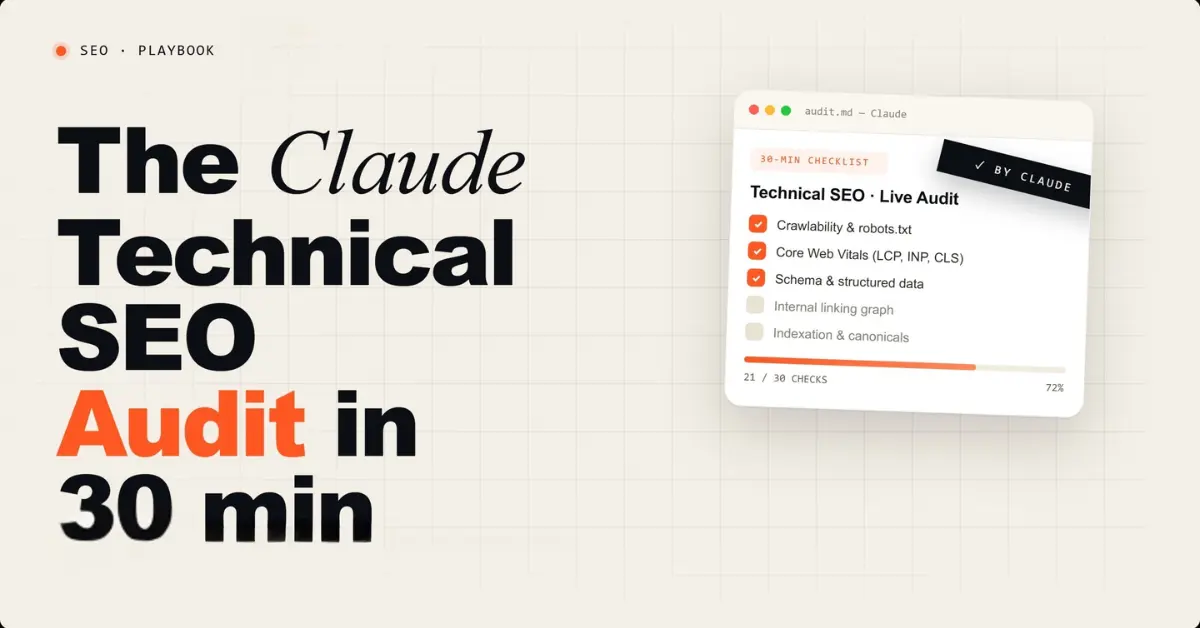
For the complete 12-point technical SEO checklist including AI crawler checks, the Claude technical SEO audit checklist covers every check in detail with a copy-paste Claude prompt for each one.
Phase 2: On-Page SEO Audit by Page Type (20 Minutes)
On-page audit goes deeper than metadata. For each important page, you check heading hierarchy, keyword placement, E-E-A-T signals, internal linking density, schema markup, and image alt text. The prompt varies by page type because what matters on a homepage differs from what matters on a blog post or service page.
How to Get Your Page HTML Source
Open your target page in Chrome. Right-click anywhere and select View Page Source. Press Ctrl+A to select all, then Ctrl+C to copy. Paste this into Claude. The full HTML includes metadata, schema markup, and structured elements that are not visible in the browser view.
Prompt: Blog Post Audit (Most Important for This Site)
"I am pasting the full HTML source of a blog post targeting the keyword [YOUR TARGET KEYWORD]. Audit it for: (1) Title tag includes the keyword and is under 60 characters with a compelling CTR hook, (2) Meta description includes keyword, has a CTA, and is under 155 characters, (3) H1 clearly matches the search intent for this keyword, (4) The article has a Key Takeaways section in the first 30% of content, (5) Each major H2 section opens with a direct 40 to 60 word answer to the implied question, (6) Article includes sourced statistics with named sources, (7) Author name and credentials are visible on the page, (8) Internal links to at least 3 other relevant pages on the site using descriptive anchor text, (9) Article schema markup is present with correct author and datePublished fields, (10) FAQ section at the bottom with FAQPage schema. PASS, WARN, or FAIL each item with a one-line fix. List the TOP 3 changes for this post. Here is the HTML: [PASTE BLOG POST HTML]"
Prompt: Service Page Audit
"I am pasting the full HTML source of my [SERVICE NAME] service page targeting the keyword [TARGET KEYWORD]. Audit it for: (1) Title tag includes primary keyword within first 30 characters, (2) H1 targets primary keyword with clear value proposition, (3) H2 subheadings cover the major subtopics someone searching this keyword would expect, (4) Primary keyword appears in the first paragraph, (5) Page includes specific proof elements such as case studies or client results, (6) Service schema markup is present, (7) Clear CTA is visible, (8) Internal links point to relevant blog posts or related services, (9) FAQ section capable of capturing People Also Ask results. PASS, WARN, or FAIL each with a one-sentence fix. List the 3 changes most likely to improve ranking and conversion rate. Here is the HTML: [PASTE SERVICE PAGE HTML]"
Run the blog post audit on your top 5 pages by GSC impressions. Run the service page audit on all service pages. Each audit takes 2 to 3 minutes in Claude. The 7-workflow Claude SEO checker guide covers the complete on-page checking workflow in more detail including CTR diagnosis and content gap identification.
Phase 3: Content Quality Check (15 Minutes)
Content quality analysis asks whether your content satisfies the search intent of your target keyword better than what is currently ranking. Surfer SEO and Clearscope charge $89 to $170 per month for this analysis. Claude performs the same comparison when you provide competitor context.
Step 1: Find Who Is Actually Ranking
Search your target keyword in a Chrome Incognito window. Note the URLs of the top 3 organic results. Open each one and copy the readable text content (not the HTML).
Prompt: Content Gap and Quality Analysis
"I want to improve my content for the keyword [TARGET KEYWORD]. I am pasting my current content followed by content from the top 3 pages currently ranking for this keyword. Analyze all four and tell me: (1) What subtopics and questions do the ranking pages cover that my content is missing entirely? (2) What specific data points or examples do ranking pages include that would strengthen mine? (3) On a scale of 1 to 10, how well does my content satisfy the search intent compared to the top 3? What would push it to a 9 or 10? (4) What semantic keywords appear in ranking content that are absent from mine? (5) What is the single most important section I should add? Give me a specific H2 heading and a 100-word draft. My content: [PASTE YOUR CONTENT]. Competitor 1: [PASTE]. Competitor 2: [PASTE]. Competitor 3: [PASTE]."
Step 2: Check AI Citation Readiness
Beyond ranking in traditional search, your content needs to earn citations in Google AI Overviews, ChatGPT, and Perplexity. Growth Memo research (February 2026) confirmed that 44.2% of all AI citations come from the first 30% of an article. Burying key information past the halfway point costs you AI citations regardless of your Google ranking position.
"Review this content for AI citation readiness. Check: (1) Does each major section open with a direct, self-contained 40 to 60 word answer an AI could extract and cite independently? (2) Does the content include specific named statistics with verifiable sources? (3) Is the author's expertise stated near the top of the page? (4) Are the Key Takeaways near the beginning rather than the end? (5) Are section headings phrased as questions that mirror how a user would ask an AI assistant? For each issue: describe the specific change and provide a rewritten version. Here is the content: [PASTE CONTENT]"
For the complete framework for getting content cited across ChatGPT, Perplexity, and Google AI Mode, the GEO and AEO optimization guide covers the full implementation. For which websites AI systems cite most frequently (and what platform presence earns those citations), the 50 websites LLMs cite most covers the complete platform strategy.
Phase 4: Internal Linking Audit (10 Minutes)
Internal linking is consistently the most underworked area of SEO on small business sites. Important service pages often receive almost no internal links from blog content, which means Google has no authority signal telling it those pages matter more than everything else.
Step 1: Export Your Internal Link Data
In Screaming Frog, after your crawl completes, go to Bulk Export and select All Inlinks. This exports a list showing which pages link to which other pages with the anchor text used. Save as CSV.
Prompt: Internal Linking Gap Finder
"I am pasting my site's complete internal linking data from Screaming Frog. My most important pages that should receive internal links are: [LIST YOUR TOP 5 TO 10 MOST IMPORTANT URLs AND THEIR TARGET KEYWORDS]. Analyze the data and tell me: (1) Which important pages have zero internal links pointing to them (orphan pages)? (2) Which have fewer than 3 internal links? (3) For each under-linked page, list the 3 existing pages on my site with the most natural opportunity to add a link, and suggest the specific anchor text for each. (4) Are there pages competing for the same keyword that should be consolidated? Output as a table sorted by priority. Here is the data: [PASTE SCREAMING FROG INLINKS EXPORT]"
Internal linking fixes are among the fastest SEO wins on any site. Adding one well-anchored internal link from a high-traffic page to an important service page can move rankings within weeks because it passes authority and signals relevance to Google's crawler on its next visit. Adding 2 minutes per fix, the top 10 internal link corrections take under 25 minutes to implement.
Phase 5: GSC Quick Win Analysis (15 Minutes)
The first four phases fix structural issues. Phase 5 finds ranking opportunities that already exist in your data. Google Search Console shows exactly which queries your pages appear for and at what position. Quick wins are queries where you rank on page 2 or 3 with meaningful impressions, because targeted improvements can move these to page 1.
Option A: Manual CSV Export (No Technical Setup)
- Open Google Search Console and click Performance in the left sidebar
- Set the date range to the last 90 days
- Click Export and download as CSV
- Delete all rows where Impressions is below 20
- Save the cleaned file and paste into Claude with this prompt:
"I am pasting my Google Search Console performance data for the last 90 days. Find all keywords where position is between 8 and 25 AND impressions are above 50. For each: show current position, impressions, CTR, and the ranking page. Then tell me: what is the single most likely reason this page is not in the top 5? And what is the one specific change to make this week with the highest probability of improving its position? Sort by estimated click opportunity if the keyword moved to position 3. Here is the data: [PASTE YOUR GSC CSV DATA]"
Option B: Live MCP Connection (Faster)
If you have connected GSC to Claude using the free GSC to Claude connection guide, Claude queries your live data directly without any export step:
"Using my connected Google Search Console data, find all keywords for [YOUR DOMAIN] where position is between 8 and 25 and impressions in the last 90 days exceed 50. For each: show current position, impressions, CTR, and estimate the monthly click gain if I reach position 3. Sort by opportunity size, highest first. For the top 5 opportunities, tell me what single change on that page would most likely improve the ranking."
For understanding how AI Mode is changing which GSC metrics matter most in 2026, the Google AI Mode SEO strategy guide covers how to interpret GSC data when 93% of AI Mode queries end without a click and what that means for your quick win prioritization.
How to Measure SEO Performance with Rank Tracking Using Claude
Rank tracking with Claude works in three steps: export your position data, structure it for comparison, and prompt Claude to surface movement and causes.
Step 1: Build a week-over-week comparison file. Export your GSC performance CSV for the current 7-day period and again for the previous 7-day period. Add a column called Period and label each row Current or Previous. Combine both exports into one CSV.
Step 2: Filter to trackable keywords. Delete rows where impressions are below 10. Keywords with very low impressions produce unreliable position data. Keep only rows where position is between 1 and 50.
Step 3: Paste into Claude with this prompt:
"I am pasting two weeks of Google Search Console data merged into one file with a Period column. Compare current week versus previous week for every keyword. Show me: (1) Keywords that dropped more than 3 positions with the most likely cause, (2) Keywords that gained more than 3 positions so I know what is working, (3) Any keyword now sitting between positions 8 and 15 that represents a realistic page-1 opportunity this month. For each drop, recommend one specific on-page fix. Sort by estimated click impact, highest first. Here is the data: [PASTE MERGED CSV]"
This process takes 15 minutes and gives you a prioritized ranking movement report with actionable fixes rather than a raw data table you have to interpret manually. Running this every Monday creates a consistent improvement loop across your entire content library.
Phase 6: GEO and AI Visibility Audit (15 Minutes)
Phase 6 is the section no other Claude SEO audit guide covers. It checks whether your site is configured for AI search visibility in 2026: whether AI retrieval systems can find and cite your content in ChatGPT, Perplexity, and Google AI Mode.
This phase matters because traditional SEO visibility and AI search visibility are separate systems requiring separate checks. A site with a perfect technical SEO score can be completely invisible in AI-generated answers. The three most commonly failed AI visibility checks are AI crawler access in robots.txt, a missing llms.txt file, and absent author schema for E-E-A-T signals.
GEO and AI Visibility Checklist
Use this 10-point checklist as a rapid pass before running the full Phase 6 prompts. Mark each item as PASS, WARN, or FAIL and address all FAILs before moving to the detailed prompt steps.
- AI crawlers not blocked in robots.txt. Confirm ChatGPT-User, ClaudeBot, and PerplexityBot are not listed under Disallow. A missing rule defaults to allow, which is correct.
- llms.txt present at domain root. Visit yourdomain.com/llms.txt. A 404 is a FAIL. The file should list your 8 to 12 most important pages with one-sentence descriptions.
- Site verified in Bing Webmaster Tools. ChatGPT live retrieval uses Bing's index. No Bing verification means no ChatGPT citation eligibility.
- Author schema with sameAs links on all blog posts. Person schema or Article schema with an explicit author field containing name, jobTitle, and a LinkedIn URL.
- FAQPage schema on key landing pages. At least one FAQ section with valid FAQPage JSON-LD markup present in the page source.
- Key Takeaways section in the first 30 percent of content. Research shows 44.2 percent of AI citations come from the first 30 percent of an article. Summaries buried below the fold are rarely cited.
- Each H2 section opens with a direct answer sentence. No preamble or context before the core answer in the first sentence of each section.
- HTTPS enforced with HSTS header. AI retrieval systems and Google both treat HTTPS as a baseline trust signal.
- Sitemap submitted to Bing Webmaster Tools. Submission accelerates Bing indexing of new content and improves ChatGPT retrieval freshness.
- HTML lang attribute set correctly. A missing or incorrect lang attribute reduces AI system confidence in content language and geographic targeting.
Sites scoring 8 or more out of 10 are in strong shape for AI citation eligibility. Scores below 6 indicate foundational gaps that will suppress citation frequency regardless of content quality.
Step 1: Check Your robots.txt for AI Crawler Access
Open yourdomain.com/robots.txt in a browser. Copy the entire contents into Claude with this prompt:
"Audit this robots.txt file for AI crawler access. Check the access status for each of these crawlers: ChatGPT-User (OpenAI's live retrieval crawler that powers ChatGPT answers), GPTBot (OpenAI's training crawler), ClaudeBot (Anthropic), PerplexityBot (Perplexity), and Googlebot. For each: is it explicitly allowed, explicitly blocked, or not mentioned (default allow)? Flag the critical distinction between ChatGPT-User and GPTBot: blocking ChatGPT-User makes your content invisible in live ChatGPT answers. Blocking GPTBot only prevents training data collection. These have opposite consequences. Provide the corrected robots.txt rules for any crawlers that need explicit Allow lines. Here is my robots.txt: [PASTE YOUR ROBOTS.TXT]"
The ChatGPT-User vs GPTBot distinction is the most commonly missed technical detail in AI visibility work. Blocking GPTBot prevents OpenAI training use but does not prevent ChatGPT from citing your content via browsing. Blocking ChatGPT-User prevents live ChatGPT retrieval. Most sites that have blocked AI crawlers have blocked GPTBot and left ChatGPT-User set to default, which means ChatGPT can still access them. But sites that have accidentally blocked ChatGPT-User are invisible to ChatGPT's live answers entirely.
Step 2: Check for llms.txt
Open yourdomain.com/llms.txt in a browser. If you get a 404, you do not have one. llms.txt is a plain Markdown file that gives AI systems a curated guide to your most important content. By April 2026, only 5 to 15% of websites have implemented it according to lowtouch.ai research. Anthropic, Stripe, Cloudflare, and Vercel have all implemented it.
Use this Claude prompt to create yours:
"Help me create an llms.txt file for my website [YOUR DOMAIN]. My site is a [describe type] targeting [your audience]. My most important pages are: [list 8 to 12 URLs with one-sentence descriptions]. Format the file correctly using the llmstxt.org specification with: (1) An H1 with my site or brand name, (2) A blockquote describing what the site does and who it serves, (3) H2 sections organizing my important pages by category with Markdown links and brief descriptions for each page. Output the complete llms.txt file ready to upload."
Save the output as a plain text file named llms.txt and upload it to your site root so it is accessible at yourdomain.com/llms.txt. The complete guide to llms.txt including format, framework support for WordPress and PHP sites, and the 30-minute creation process is in the llms.txt complete guide.
Step 3: Verify Bing Webmaster Tools
ChatGPT's real-time retrieval uses Bing's index, not Google's. A site not verified in Bing Webmaster Tools is invisible to ChatGPT's live retrieval regardless of its Google rankings. Go to bing.com/webmasters, connect your Microsoft account, add your domain property, verify ownership via DNS or HTML file, and submit your sitemap. This takes 15 minutes once and is the prerequisite for ChatGPT citation eligibility across your entire content library.
Step 4: Check Author Schema for E-E-A-T
Paste your homepage or blog post HTML into Claude with this prompt:
"Check this page for author schema and E-E-A-T signals. Specifically: (1) Is there Person schema or Article schema with an explicit author field containing name, jobTitle, and a sameAs link to LinkedIn? (2) Is the author's name and credentials visible in the body content? (3) Is there a clear byline showing who wrote this page and when? (4) Does the author's bio include specific proof of expertise such as years of experience, named clients, or verified results? For each missing element: provide the specific JSON-LD code to add and where to place it. Here is the HTML: [PASTE PAGE HTML]"
Google's E-E-A-T evaluation now uses AI to cross-reference claimed expertise against external signals including LinkedIn profiles and publication history. For AI citation systems, explicit author attribution with verifiable credentials makes content more citable. Profound research confirms first-person practitioner content with explicit author attribution earns AI citations at higher rates than equivalent anonymous content.
Step 5: Run the GEO Content Readiness Check
"Run a GEO readiness check on this content. Score each criterion 1 to 10: (1) Does each H2 section open with a direct answer in the first sentence (no context or setup before the answer)? (2) Does every major claim include a named statistic with a specific source? (3) Can each paragraph be understood without reading the paragraphs around it (self-contained for AI extraction)? (4) Is there a FAQ section with FAQPage schema? For any criterion scoring below 8: show me the specific passage that fails and rewrite it to pass. Then give me an overall GEO score out of 4. Here is the content: [PASTE CONTENT]"
For the complete strategy for building AI citation presence across ChatGPT, Perplexity, and Google AI Mode, the AI Overviews citation guide covers the full 7-step implementation. For the platform presence (Reddit, LinkedIn, G2) that drives citations alongside on-site content, the LLM backlink and citation strategy guide covers the 5-method approach with verified campaign results.
Limitations of Claude for SEO Audits
Claude is a strong audit partner but it has real constraints worth understanding before you commit to a workflow built around it.
No live URL crawling. Claude cannot visit your website, fetch your page HTML, or check your server response codes on its own. Every piece of data it analyzes must be pasted in by you. This is why the workflow pairs Claude with Screaming Frog for the crawl step rather than relying on Claude alone.
No real-time SERP data. Claude cannot tell you who is currently ranking position 1 for your target keyword or what their title tag says today. You need to run that search yourself and paste the results in.
No backlink database. Claude has no access to link graphs, referring domain counts, or domain authority scores. For backlink analysis you still need Ahrefs, Moz, or at minimum Google Search Console's Links report exported as a CSV.
Context window limits on large sites. Pasting a full Screaming Frog export for a 400-page site will exceed the free plan's context window. For sites above 100 pages, audit in batches of 80 to 100 URLs per conversation or upgrade to Claude Pro for the extended context window.
No memory between sessions by default. Without a saved Project, Claude forgets your site between conversations. Setting up the Project system described in the Setup phase above solves this completely, but it requires a one-time configuration step before your first audit.
None of these limitations prevent a thorough audit for most small and mid-size sites. They are constraints to plan around rather than blockers.
What I Found When I Ran Phase 6 on This Site
When I ran this GEO audit on kulbhushanpareek.com in April 2026, the robots.txt had no explicit rule for ChatGPT-User (it was getting access by default but without deliberate intent). The llms.txt file was missing. Three recently published posts had zero internal links pointing to them from established pages. Adding explicit AI crawler rules, creating the llms.txt file, and fixing the internal link gaps took 45 minutes. Within 48 hours of Bing crawling the updated robots.txt, the first new content pieces began appearing in Bing's index for the first time.
The Indigo Software case study documents what this kind of foundational AI visibility work produces at scale: 369 AI-cited pages, 534 brand mentions in AI responses, and $385,091 in verified organic revenue over 18 months. Phase 6 of this audit is where that campaign started.
Your Monthly Claude SEO Audit Schedule
Running all six phases every week is not practical or necessary. Here is the cadence that produces consistent improvement without dominating your time.
Every Week (30 Minutes)
- Phase 5 quick wins: check for any query that moved into the 8 to 15 position range
- Add 3 to 5 internal links from new content to existing service pages
- Fix Critical issues from the previous month's Phase 1 technical audit
- Run the free 31-check tool on any newly published page immediately after publishing
Every Month (90 Minutes)
- Phase 1: Fresh Screaming Frog crawl to catch new technical issues from recent content changes
- Phase 3: Content quality check on the top 2 to 3 pages with highest GSC impressions but lowest CTR
- Phase 5: Fresh 90-day GSC export to find new quick win opportunities
- Phase 6: Verify llms.txt is up to date with new important content published that month
- Update dateModified on any pages refreshed during the month
Every Quarter (3 Hours)
- Run all six phases across all pages
- Phase 2: On-page audit on every service page and the top 5 blog posts
- Phase 4: Internal linking audit on the full site to find new orphan pages
- Refresh top 5 articles with updated statistics and republish with a new dateModified
- Compare AI citation frequency before and after the quarter's GEO work
When to Upgrade From Claude Chat to Claude Cowork
The workflow in this guide uses Claude Chat (browser) and handles sites under 50 pages without friction. The copy-paste steps become the bottleneck when you manage a site above 30 pages or audit multiple client sites in a single session.
The practical threshold is 20 to 30 pages. Below that, Chat handles everything without feeling repetitive. Above that, the preparation work (exporting CSVs, copying HTML source page by page) takes longer than the analysis itself.
Claude Cowork (available on Pro at $20/month) reads files directly from a folder on your computer. You export pages as HTML files once, drop them in a folder, and Cowork audits all of them in one task without manual pasting. For GSC analysis, drop the CSV in the same folder and Cowork reads it directly. The workflow is identical to this guide, but the preparation steps disappear. For detailed guidance on which Claude interface delivers the best results for specific SEO tasks, the Claude interface comparison guide covers every major audit function with a recommended mode for each.
For the full comparison of Claude, ChatGPT, and Perplexity across 10 specific SEO tasks including audit work, the head-to-head SEO tool comparison covers which AI tool wins for which task type with specific scores per task.
Frequently Asked Questions


Leave a Comment
Your email address will not be published. Comments are moderated before appearing.