The Claude SEO Audit Playbook: 5 Workflows + Copy-Paste Prompts (Tested On A $385K Client)
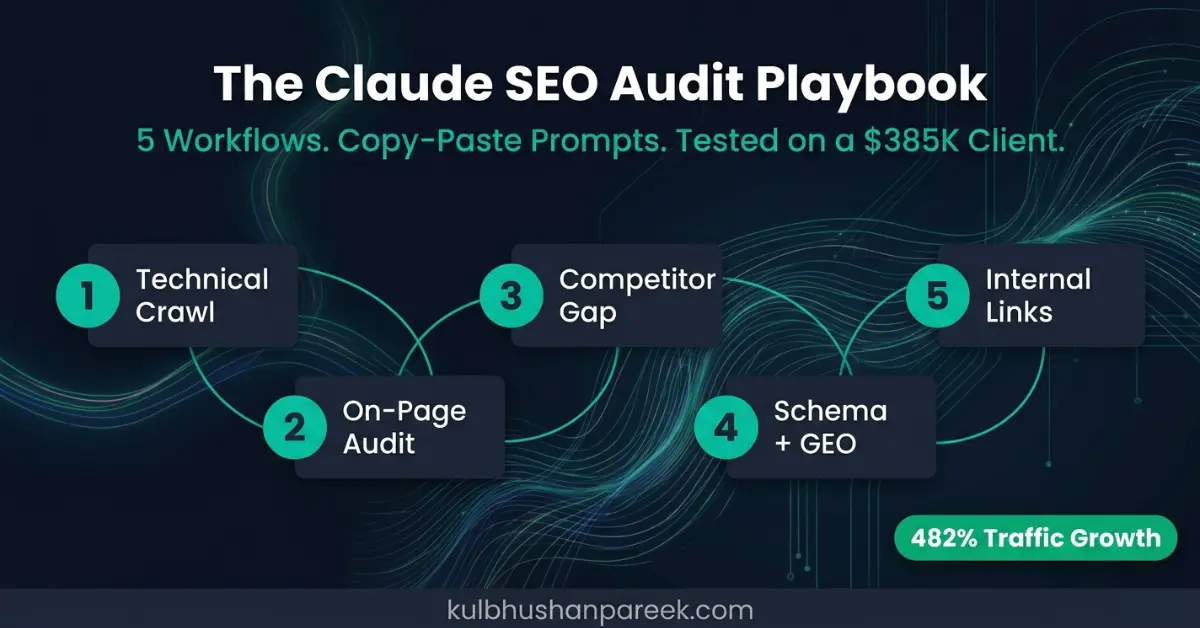
Most AI SEO audit guides are tool reviews: three paragraphs of generic capabilities, a screenshot, and a vague workflow at the end. This is not that guide.
This is the actual 5-workflow audit process used on every new client site before writing a single recommendation. The same process deployed on a US B2B software company in early 2024, the engagement that grew organic traffic 482% and generated $385,091 in verified organic revenue over 21 months. The full campaign breakdown is in the Indigo Software SEO case study.
Each workflow below specifies exactly what to feed Claude as input, the copy-paste prompt to use, what good output looks like, and how to validate Claude's findings against tools that have live SERP and backlink data. The complete pipeline takes 60 to 90 minutes per site instead of 6 to 8 hours of manual analysis.
One note before starting: this guide assumes Claude with file upload capability (Claude Pro or higher). The free tier at claude.ai works too, but you paste content rather than upload files, which adds time for sites above 15 pages. Before running the full manual workflow, the free 31-check Claude SEO audit tool runs an automated technical and GEO scan in 20 seconds and tells you which workflows deserve the most time.
Key Takeaways
- The 5-workflow Claude SEO audit takes 60 to 90 minutes per site and replaces 6 to 8 hours of manual analysis. Workflow 1 (technical crawl) and Workflow 4 (schema and GEO) produce the highest-impact fixes per time invested.
- Claude's 200,000-token context window means an entire site's HTML, Screaming Frog export, GSC export, and three competitor pages can be analyzed in one conversation rather than disconnected sessions. This is Claude's primary structural advantage over ChatGPT for audit work.
- Claude cannot retrieve live ranking data, backlink profiles, search volumes, or Core Web Vitals scores. These require Screaming Frog, Ahrefs, Semrush, Google Search Console, or DataForSEO. Claude is the reasoning engine on top of data those tools provide, not a replacement for them.
- Workflow 4 (schema and GEO audit) is the workflow with the biggest 2026 upside. Most sites have basic schema but fail the AI citation readiness checks that determine who gets quoted in ChatGPT, Perplexity, and Google AI Overviews. The free llms.txt guide covers the file format for AI system discoverability.
- The system prompt at the end of this guide sets up a Claude Project that stores your audit standards permanently. Set it up once and every subsequent audit conversation inherits your criteria automatically.
What This Guide Covers
- Why Claude Over ChatGPT or Perplexity for Audits
- Workflow 1: Technical Crawl and Index Audit
- Workflow 2: On-Page SEO Audit
- Workflow 3: Competitor Gap Audit
- Workflow 4: Schema and GEO Audit
- Workflow 5: Internal Linking Audit
- The System Prompt That Ties It All Together
- What Claude Cannot Audit
- Real Proof: What This Workflow Delivered
- Frequently Asked Questions
Why Claude Over ChatGPT or Perplexity for Audits
Three structural differences make Claude the better choice for SEO audit work in 2026.
200K-token context window. An entire site's HTML, a Screaming Frog export, a GSC export, and three competitor pages can all be pasted into one Claude conversation. The audit reasons across all of it simultaneously rather than in disconnected chunks that lose context between sessions. For audit work where patterns across multiple pages matter (duplicate title tags, canonical conflicts, thin content clusters), this matters enormously.
Structured output discipline. Claude follows table and JSON output formats more reliably than ChatGPT for long, complex tasks. SEO audits need consistent table output for recommendations to be actionable. A table that drifts into prose mid-way through a 50-row output is not useful in a client deliverable.
Better at flagging gaps. Claude is more likely to flag data it does not have ("I cannot determine ranking position from this input , validate via GSC") rather than hallucinating ranking numbers. Hallucinated ranking data is the failure mode that makes ChatGPT-driven audits unreliable for professional use.
For a detailed comparison of which Claude interface (Chat, Cowork, or Projects) works best for each type of SEO task, the Claude Chat vs Cowork vs Projects guide covers the decision in detail. For a head-to-head evaluation of Claude versus ChatGPT and Perplexity across 10 specific SEO tasks, the 3-tool SEO comparison covers scored results per task.
Workflow 1: Technical Crawl and Index Audit
The technical crawl audit surfaces the issues that suppress rankings site-wide before any content or on-page work is worth doing.
What this workflow finds: Pages blocked from crawl or indexation that should not be. Pages crawled but never indexed (orphan or low-quality content). Sitemap inconsistencies. robots.txt misconfigurations. Canonical errors. Hreflang errors on multilingual sites.
Inputs (in order of preference): Best is a Screaming Frog crawl export as a CSV with all standard columns. Claude reads a 5,000-row CSV faster than crawling a site itself and the structured data lets it spot patterns immediately. Acceptable is sitemap XML plus robots.txt pasted directly. Minimum viable is the site URL plus a public sitemap.
The Prompt
You are an experienced technical SEO auditor.
I am uploading a Screaming Frog crawl export. Audit it for:
1. Pages with status code not equal to 200 (broken links to fix or redirects to consolidate)
2. Pages with index status set to noindex that appear to be indexable content
3. Pages with thin content under 300 words that are currently indexed
4. Pages with duplicate or near-duplicate title tags or meta descriptions
5. Hreflang implementation errors (mismatched language codes, missing return tags)
6. Pages with non-self-referencing canonical tags
7. Pages with no internal links pointing to them (orphan pages)
Output as a markdown table with columns: Issue Type | Affected URLs (max 5 examples) | Severity (High/Medium/Low) | Fix Action
After the table, list 3 patterns you noticed across the site related to architecture, content, or technical structure.
robots.txt for this site: [paste robots.txt]
Sitemap URL: [paste sitemap URL]
What good output looks like: A 5 to 10 row table with concrete fixes. Severity ratings that match actual SEO impact (Critical before Important, Important before Nice-to-have). A patterns section that calls out structural issues. For example: "All product pages share identical meta descriptions. A programmatic fix is needed, not manual updates."
How to validate: Re-crawl 5 of Claude's flagged URLs in Screaming Frog manually to confirm. Cross-check noindex and orphan pages against GSC's Coverage report. Do not act on any thin content flag without manual review. Claude often flags landing pages with low word counts that are converting well because short pages can serve transactional intent correctly.
Time saved: 3 to 4 hours of manual crawl analysis becomes 10 minutes. For the complete 12-point technical SEO checklist with individual Claude prompts for each check, the Claude technical SEO audit checklist covers each check including the AI crawler access checks most guides miss.
Workflow 2: On-Page SEO Audit
On-page audit goes deeper than the metadata produced by a crawl. For each important page, you check heading hierarchy, keyword placement, E-E-A-T signals, internal linking density, and schema markup.
What this workflow finds: Title tag and meta description problems (length, keyword inclusion, CTR appeal). H1 and H2 structure gaps. Internal linking deficiencies. Content targeting the wrong search intent. Schema markup gaps per page type.
Inputs: Top 10 pages by GSC impressions from the last 28 days. Their HTML source obtained via Chrome DevTools (right-click, View Page Source, Ctrl+A, Ctrl+C). The target keyword for each page.
The Prompt
You are auditing on-page SEO for the following 10 pages.
For each page, evaluate:
1. Title tag: length (50 to 60 characters optimal), primary keyword position, CTR appeal
2. Meta description: length (150 to 160 characters), primary keyword inclusion, action-oriented language
3. H1: unique from title tag, primary keyword inclusion, scan-ability
4. H2 structure: logical hierarchy, secondary keyword variations, question-format where relevant
5. First 100 words: keyword establishment, value promise, no context-setting before the answer
6. Internal linking: count of inbound links, anchor text variety, depth from homepage
7. Schema markup present: Article, FAQ, HowTo, Product, Breadcrumb, Organisation
Output as a table per page with columns: Element | Current | Issue | Recommendation | Priority (1 to 5)
Then a summary: top 3 patterns across all 10 pages.
Pages to audit (URL + target keyword + HTML):
PAGE 1: [URL] | Target keyword: [keyword] | HTML: [paste]
[repeat for all 10]
What good output looks like: Ten individual tables, one per page. Specific rewrites, not generic suggestions. "Rewrite to: Claude SEO Audit Playbook: 5 Workflows + Prompts (2026)" instead of "improve title tag." Priority ratings that favor high-impression, low-CTR pages above others.
How to validate: Cross-check Claude's keyword suggestions against actual GSC query data. Claude sometimes recommends targeting a keyword the page does not actually receive impressions for. Run any schema additions through Google's Rich Results Test before implementing. Title rewrites should be request-indexed after updating and monitored in GSC for CTR changes over 4 weeks.
Common false positives: Claude flags meta descriptions over 160 characters as problems. Pages with 200-character meta descriptions still rank well in practice. Claude recommends H2 tags in every content section. Some flat page structures are intentional and correct for their content type.
For individual prompts targeting specific on-page elements, the 47 Claude SEO prompts library has dedicated prompts for each element including title tags (Prompt 14), meta descriptions (Prompt 15), and heading hierarchy (Prompt 16).
Workflow 3: Competitor Gap Audit
The competitor gap audit finds keywords your competitors rank for that you do not, content topics with high commercial intent that are missing from your site, and specific pages competitors have built that you should build equivalents for.
Why this workflow is data-heavy: Claude cannot pull live keyword data. You provide the data from Ahrefs, Semrush, or DataForSEO. Claude provides the strategy built on top of that data. The Keyword Gap or Competing Domains feature in either tool exports the data you need.
Inputs: Your domain. Three to five direct competitor domains. A keyword gap report from Ahrefs or Semrush with columns for: Keyword, Your Rank, Competitor 1 Rank, Competitor 2 Rank, Competitor 3 Rank, Search Volume, Keyword Difficulty, Search Intent.
The Prompt
You are running a competitor gap analysis.
My domain: [your domain]
Competitor domains: [competitor 1, competitor 2, competitor 3]
I am uploading a keyword gap report from [Ahrefs/Semrush]. The columns are: Keyword | My Rank | Competitor 1 Rank | Competitor 2 Rank | Competitor 3 Rank | Search Volume | Keyword Difficulty | Search Intent.
Your task:
1. Identify the 20 highest-priority gap keywords. Prioritize by: volume between 500 and 10,000, keyword difficulty under 40, at least 2 competitors ranking in the top 10, commercial or transactional intent, and not currently ranking in our top 30.
2. Bucket these 20 keywords into content types: listicle, how-to guide, comparison, product or service page, case study.
3. For each bucket, propose 3 to 5 article titles that target the gap keywords without competing with each other.
4. Identify the single highest-leverage piece of content to build first: the one that closes the biggest visible gap.
Output as: opportunity table, content bucket list, article title proposals, top recommendation with reasoning.
What good output looks like: 20 prioritized keywords with specific reasoning per priority rating. Article titles that include the gap keyword naturally without keyword stuffing. A clear "build this first" recommendation with stated logic for the choice.
How to validate: Cross-check the highest-leverage recommendation against your existing content before acting. Claude does not know what you have already published. Run proposed titles through GSC to check for any existing impressions before creating new content, to avoid cannibalizing pages that are beginning to earn visibility. For the full list of 50 platforms that LLMs cite most when generating answers about your topic area, the 50 websites LLMs cite most guide covers where competitor gap content should be placed to earn AI citations alongside Google rankings.
Where Claude saves the most time: Bucketing 20 keywords into a coherent content plan with titles takes 2 to 3 hours manually. Claude completes it in under 2 minutes, which shifts the human effort from data organization to strategic review of the output.
Workflow 4: Schema and GEO Audit
Workflow 4 has the largest 2026 upside of the five workflows. Most sites have basic schema markup but fail the AI citation readiness checks that determine who gets quoted in ChatGPT, Perplexity, and Google AI Overviews. These checks are different from traditional schema validation and most audit tools do not run them.
What this workflow finds: Missing schema types for AI Overview eligibility. Schema present but structurally malformed. Missing required properties (Author, datePublished, sameAs) that weaken E-E-A-T signals. llms.txt presence and content quality. Whether AI crawlers are blocked or explicitly allowed in robots.txt.
Inputs: Five to ten of your most important page URLs. Their JSON-LD schema blocks (View Source in Chrome, search for application/ld+json, copy all script blocks). Your robots.txt. Your llms.txt if one exists.
The Prompt
You are auditing this site for AI search visibility (GEO and generative engine optimization).
For each page below, evaluate:
1. Schema markup present: list every type detected (Article, BreadcrumbList, FAQ, HowTo, Organisation, Person, Product, Review, Service, Dataset)
2. Schema completeness: flag missing required properties for each type present
3. Author entity: is it consistent across pages and linked to a verified person via sameAs?
4. Date properties: are datePublished AND dateModified both present?
5. Image properties: is an image array present in Article schema with appropriate dimensions?
6. Citation-ready content: is there a summary block or Key Takeaways section that an AI system could extract and cite independently?
Then audit:
7. robots.txt: are AI crawlers (GPTBot, ClaudeBot, PerplexityBot, ChatGPT-User, OAI-SearchBot, CCBot) explicitly allowed?
8. llms.txt: present? Does it follow the llmstxt.org specification?
Output as: per-page schema table, site-wide robots.txt audit, llms.txt audit, top 5 GEO recommendations prioritized by AI Overview citation likelihood.
Pages to audit: [paste each URL + its JSON-LD schema blocks]
robots.txt: [paste]
llms.txt: [paste, or note "not yet implemented"]
What good output looks like: Specific missing properties identified ("Article schema missing image array") rather than generic observations ("schema needs work"). Flags for unconnected author entities across pages, which is one of the primary reasons E-E-A-T signals fail. Notes on whether llms.txt covers the correct priority pages for your site's main topics.
How to validate: Run any new or corrected schema through Google's Rich Results Test at search.google.com/test/rich-results. Test in the Schema.org Validator as well, which catches syntax errors that Google's tool sometimes misses. For llms.txt, verify the format against the current specification at llmstxt.org. The complete llms.txt guide at kulbhushanpareek.com/blog/llms-txt-guide-ai-search-visibility covers the format, framework support, and 30-minute creation process for WordPress and PHP sites.
For the full GEO and AI citation optimization framework beyond the audit scope, the complete GEO and AEO optimization guide covers the implementation in detail. For checking your current AI citation status across ChatGPT, Perplexity, and Google AI Mode before running the schema audit, the free 31-check audit tool checks the 7 GEO signals automatically as part of its scan.
Workflow 5: Internal Linking Audit
Internal linking is consistently the most underworked area on small and mid-size business sites. Important service pages often receive almost no internal links from blog content, which means Google has no signal telling it those pages are more important than everything else on the site.
What this workflow finds: Money pages with too few inbound internal links. Anchor text monotony (multiple sources using identical anchor text for the same page). Crawl depth problems where important pages are too many clicks from the homepage. Topic cluster gaps where related pages are not linking to each other.
Inputs: Your sitemap XML (full list of all pages). Your 10 highest-priority pages (service pages, conversion pages, top blog posts). Optionally, a Screaming Frog "All Internal Links" export for more precise data.
The Prompt
You are auditing internal linking architecture.
Site: [your domain]
I am uploading the sitemap XML. The 10 highest-priority pages on this site are:
[list with URL + brief description of each page's purpose]
Your task:
1. For each priority page, identify which other URLs in the sitemap would naturally link to it based on topic relevance. Use the URL slug and likely page content as your guide.
2. Recommend specific anchor text variations for each suggested link. Vary the anchor text across different source pages. Avoid three different sources using the exact same anchor text for the same destination.
3. Identify any priority pages that appear topically isolated (no other pages share their topic cluster).
4. For each topic cluster (group of related URLs), identify which page should serve as the cluster pillar.
Output as: per-priority-page link recommendations table, cluster structure in text format, top 5 internal linking quick wins ranked by expected impact.
Sitemap: [paste]
What good output looks like: 5 to 10 specific link recommendations per priority page. Anchor text variations for each that differ across source pages. A clear cluster pillar call for each topic group rather than a list of disconnected links.
How to validate: Do not add 50 internal links in a single week. Google notices pattern shifts in internal link profiles that happen suddenly. Spread implementation across 4 to 6 weeks. Anchor text should match the destination page's primary keyword variations in a way that reads naturally. Skip recommendations where the link would feel forced or off-topic for the source page's content.
The compounding effect: Internal linking is the workflow with the longest payoff curve. Ranking changes typically appear 6 to 8 weeks after consistent implementation. Sites with strong internal link clusters consistently earn higher topical authority signals than sites with equivalent content but weak internal architecture.
The System Prompt That Ties It All Together
Set this as your Claude Project's custom instructions or upload it as a file at the start of each audit session. Set it up once. Every subsequent audit conversation inherits these standards automatically.
You are a senior SEO auditor with 13+ years of agency and in-house experience. You audit sites for technical SEO (crawl, indexation, site architecture), on-page SEO (titles, meta, heading tags, schema), content quality and intent matching, and AI search visibility (GEO and AEO).
Your audit principles:
1. Severity-graded recommendations. Never list a Low-priority fix before a High-priority one.
2. Specific over generic. Always name the URL, the element, and the exact rewrite or fix.
3. Validation-aware. If a finding requires data you do not have (live SERP positions, backlinks, Core Web Vitals), flag it as "needs validation via [specific tool]" rather than estimating.
4. Cluster-aware. Surface cannibalization risks proactively. If two or more pages target similar keywords, flag it.
5. Output discipline. Default to markdown tables. Use code blocks for any prompts or JSON-LD examples.
6. Brevity. The recommendation matters more than the explanation. One paragraph per finding maximum unless asked for more detail.
When uncertain, ask one targeted clarifying question before producing output.
What Claude Cannot Audit
For everything in the table below, a separate tool is required. Claude is the reasoning engine on top of data those tools provide. The audit pipeline is: tools collect data, Claude analyzes, human validates, strategy ships.
| What Claude Cannot Do | What to Use Instead |
|---|---|
| Live keyword ranking positions | Ahrefs, Semrush, Google Search Console |
| Real-time backlink data | Ahrefs, Majestic, Semrush |
| Search volume and keyword difficulty | Ahrefs, Semrush, DataForSEO |
| Core Web Vitals scores | PageSpeed Insights, GSC Core Web Vitals report |
| Live SERP feature presence (AI Overviews, PAA) | Manual SERP check or DataForSEO SERP API |
| Brand mentions and unlinked citations | Mention.com, Brand24, Ahrefs Alerts |
| Local pack and Google Business Profile visibility | BrightLocal, LocalFalcon |
| AI citation frequency across ChatGPT and Perplexity | Profound, Otterly.ai, manual testing |
For the complete comparison of what Claude handles versus paid rank tracking tools with per-task scoring, the best SEO rank tracking software comparison covers all six tools tested including Claude with honest scores per function. For the $0 stack that uses Claude alongside free tools to replace most paid subscriptions, the 60-day $0 tools experiment documents the complete workflow.
Real Proof: What This Workflow Delivered
The 5-workflow audit takes 60 to 90 minutes for a typical small-to-medium site under 500 pages.
When this exact process was deployed on a US B2B software company in early 2024, the audit surfaced 47 pages with thin content blocking budget pages from ranking, 12 schema markup errors, internal linking gaps on 7 of 10 priority pages, and 23 high-priority competitor gap keywords.
Over the next 21 months, applying the recommendations from that audit combined with 100 backlinks per month and ongoing content production, the results were:
- 482% organic traffic growth
- 5,219% Google impressions growth
- $385,091 in verified organic revenue (GA4 attribution)
- 369 AI-cited pages across ChatGPT, Perplexity, and Google AI Mode
- 667x ROI on the total campaign investment
The full month-by-month breakdown with GSC data, phase-by-phase strategy, and AI visibility results is documented in the Indigo Software SEO case study.
To have this audit run on your site directly, the free 30-minute strategy call covers a live audit of your top 3 SEO priorities with no obligation. If running it independently, the 5 prompts above and the system prompt are everything needed to start today.

![Free Claude SEO Checker [2026]: Tested by an Agency](https://kulbhushanpareek.com/uploads/editor/best-claude-seo-checker-7-workflows-9e7214.webp)


Leave a Comment
Your email address will not be published. Comments are moderated before appearing.